Build your communications business. We run the platform.
You decide what to sell, what to call it, what to charge and how your customers get help. We run the voice network, the portals, the Everyline apps and a support desk behind your team, and bill you at wholesale.
Yours to decide
 Phone service
- Northmere Business PhoneA phone system for each businessYour price
- Northmere Home PhoneA home line on the household’s own phonesYour price
- Your bill
- Northmere, monthly
- Your support line
- (480) 555-0190
On the portal we runYour logo and your support line, on every customer’s Support page.
Ours to run Billed to you at wholesale
- Voice networkCalls in and out, through the carriers we connect with
- PortalsYour customers’ portal under your logo, and your team’s partner portal
 Everyline appsiPhone, Android and Mac, named Everyline, with your logo inside
- Support deskBehind your team, for the problems you escalate
Every account you win has more you can offer it.
A business that runs its phones on your service will have other needs. Each one here is a service you can add to that same account, from the same platform, when it fits.
A business you serve
Alder Street Insurance
Phone system · 12 seats
Main line (602) 555-0148
“Our clients text the office number.”
Shared texting inbox
In every business seat. Texts are charged per message.
“At renewal time, callers give up waiting.”
Queues and callbacks
In every business seat, turned on for the accounts that use them.
“Which calls are we missing?”
Insights
In every business seat, turned on per account.
“No one’s free to answer at lunch.”
AI receptionist
A fixed monthly rate per receptionist, the AI provider’s usage included.
That’s more to sell to customers who already buy from you, with no new system to run. You choose what to offer, to whom and at what price.
“Our phones are down.” Your team can see where.
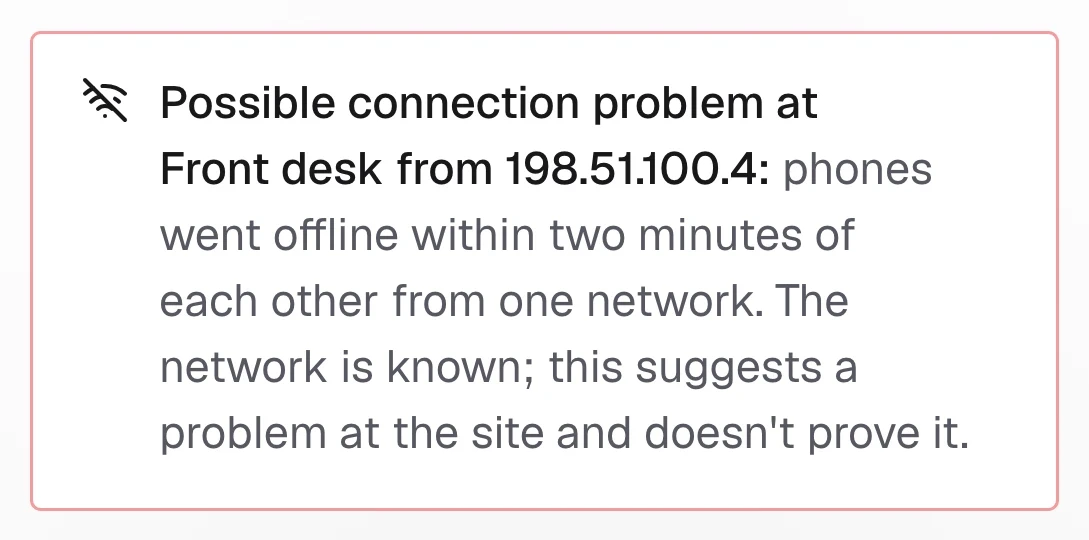
When Copper State Plumbing calls your support line, your team opens its account. The partner portal flags a possible connection problem at the front desk: its phones went offline within two minutes of each other, from one network.
Open one of those phones and its record shows when it went offline, and from where. Your team answers with that in front of it, and escalates to our desk what needs us.
The people you choose can be alerted when a site’s phones go offline together. You also decide how much each business manages itself: its phone system settings hidden, view only or theirs to change.
On the account
One of its phones
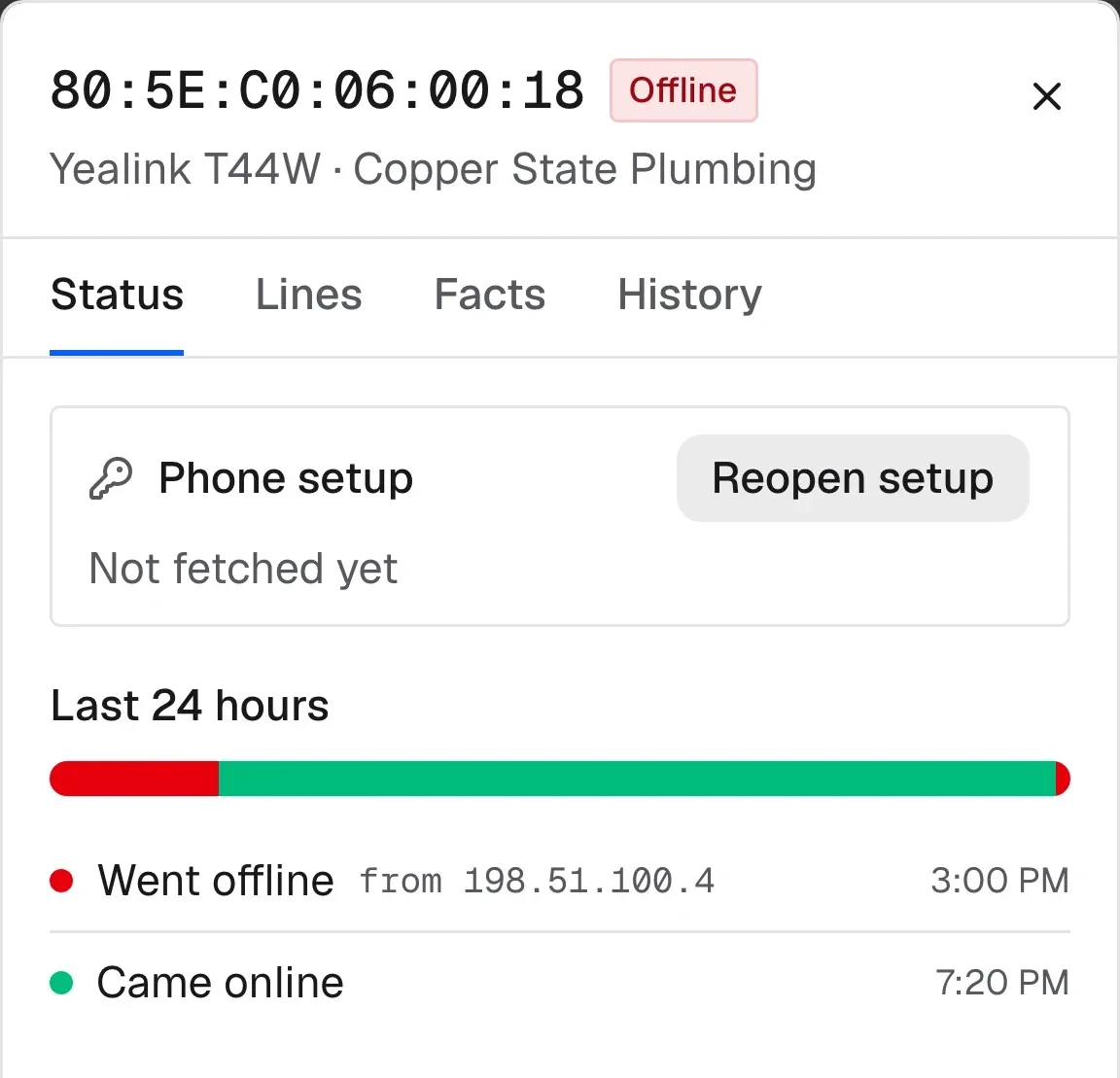
The same network, 198.51.100.4. The site’s connection is the first place to look.
Fits the business you already run.
Already selling voice, or adding it to broadband or managed IT? Keep the carrier you buy from, the PBXs your customers own and the systems your team works in. Each connects at its own edge of the platform.
Your carrier
Your origination providerYour numbers stay here
Your customers
Hosted phone systemsOn our portals, Everyline apps and desk phones
A business’s own PBXSIP trunking
Bring your own carrier. It sends those numbers’ incoming calls to us, with no port. BYOC covers incoming calls.
Bring your own carrierSIP trunking is different: a business keeps its own PBX and connects it to numbers on our platform.
SIP trunkingYour systems
The partner APIThe one the partner portal runs on: accounts, numbers, devices and calls
SonarThe caller’s account as the call rings
Moving customers from another platform? The migration guide plans it in batches.
Evaluate it against your own customers.
Bring your customer mix, the services you sell today and how your team operates. We’ll walk through the platform against them and put together a wholesale quote.