From your shelf to their desk.
Know which phone you hold, where it belongs and what it’s doing. Each phone and adapter is one record in your partner portal, found by its MAC address.
Your partner portalDevices
80:5E:C0:4D:21:9A
In stockShelf B
Nov 12 · Jordan Lee added a device
Never connectedMesquite Family Dental · Ext 104
Nov 18 · Jordan Lee assigned a device
80:5E:C0:4D:21:9AOnline
Line 1Ext 104 · Front deskRegistered
Paste a shipment, or scan a label.
Paste a shipment’s MAC addresses in any format, or scan one label at the customer’s office. Every address is checked before it’s added.
To your shelfAdd devices
Or send them straight onto a customer’s account, with an extension for each phone.
Onto an accountScan a device in, on a phone
Supported browsers can scan the label; otherwise, type the address. Either way, the device goes straight onto the account.
Every customer’s equipment, in one list.
Devices lists every phone and adapter you hold, in stock or on a customer’s account. Open one to see when it fetched its settings and whether its line is registered.
Your partner portalDevices, a few rows
| Device | State | Account | Lines |
|---|---|---|---|
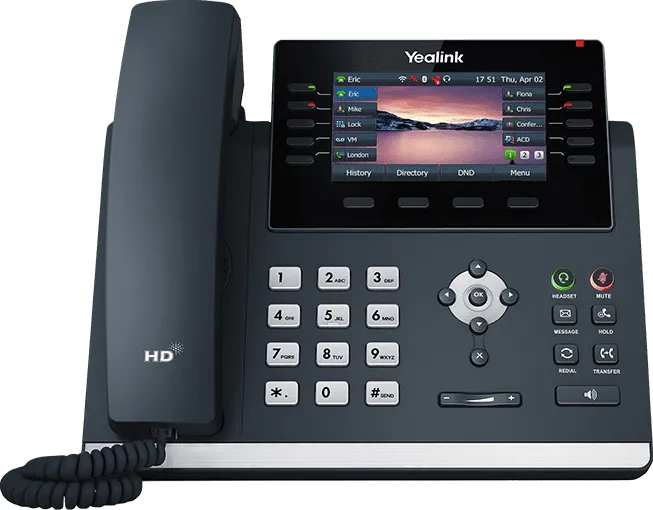
| 80:5E:C0:4D:21:9AYealink T46U | Online | Mesquite Family Dental | 104 |
| C0:74:AD:52:18:6FGrandstream HT814 | Never connected | Mesquite Family Dental | — |
| 80:5E:C0:6B:10:4FYealink T54W | Online | Cholla Physical Therapy | 201 |
| 80:5E:C0:4D:21:9BYealink T46U | In stock | Shelf B | — |
| 80:5E:C0:4D:21:9CYealink T46U | In stock | Shelf B | — |
| 80:5E:C0:0F:63:28Yealink T46U | In stockReturned: check before reuse | In stock | — |
Returning a phone to stock takes it off the account and removes its lines, keys and settings in the portal. It’s marked Returned: check before reuse.
- Assigned. It’s on the customer’s account. Until the phone first registers, Devices shows it Never connected.
- Settings fetched. The phone has asked us for its settings, and its panel says when. Its line may not be registered yet. For desk phones we set up.
- Registered. Its line is signed in and calls can reach it. Devices shows the phone Online.
Bring the phones you stock.
Tell us the models you buy and how you install them, and we’ll walk one through the partner portal with you.