A complete phone system for every business you serve.
Numbers, routing, desk phones, the Everyline apps and voicemail as one hosted service, run by each business from a portal under your name. Your team can step in from yours.

A number and its rulesEach number has its own route; the portal shows where its calls go right now.
Wherever people workEach person’s extension rings on all three; nothing to install but the phones and apps.
Every call goes where the business decided.
Hours, holidays, menus and ring groups decide each call’s path; a closure set for the day comes first.
Routing and hours in depthTue 10:40 AM · decided by Office hours
Rosa answers at the front desk.
Inside office hours the menu answers, and key 1 rings both front desk phones together.
Tue 12:20 PM · decided by If nobody answers
Dev answers in the back office.
Nobody at the front desk answered in 4 rings, so the group sent the call on. The caller just hears ringing.
Tue 7:15 PM · decided by Office hours
The caller leaves a message for the morning.
After 6 PM the after-hours greeting plays first, and the message is written out and emailed.
Thu 1:30 PM · decided by A closure, turned on by hand
The caller hears the office closed for training, then leaves a message.
Someone turned on Staff training for the rest of today. While it’s on, it comes before the hours. Ending it puts normal routing back.
Alder Street InsuranceMain line (602) 555-0148
Checked from the top: a closure first, then the hours, then each step’s next step.
Closed earlyA closure is on
- FirstClosed for trainingRecording · “We open again tomorrow at 7.”
- ThenOffice messagesVoicemail · Written out and emailed✓ Message left
OpenMon–Fri 7 AM–6 PM
- FirstMain menuMenu · 1 Appointments · 2 Billing
- Press 1Front deskRing group · Rosa and Jen, 4 rings✓ Rosa answers– Nobody free
- If nobody answersBack officeRing group · Dev and Sam, 4 rings✓ Dev answers
- If still nobodyOffice messagesVoicemail · Written out and emailed
ClosedNights, weekends, holidays
- FirstAfter-hours greetingRecording · “We’re open weekdays 7 to 6.”
- ThenOffice messagesVoicemail · Written out and emailed✓ Message left
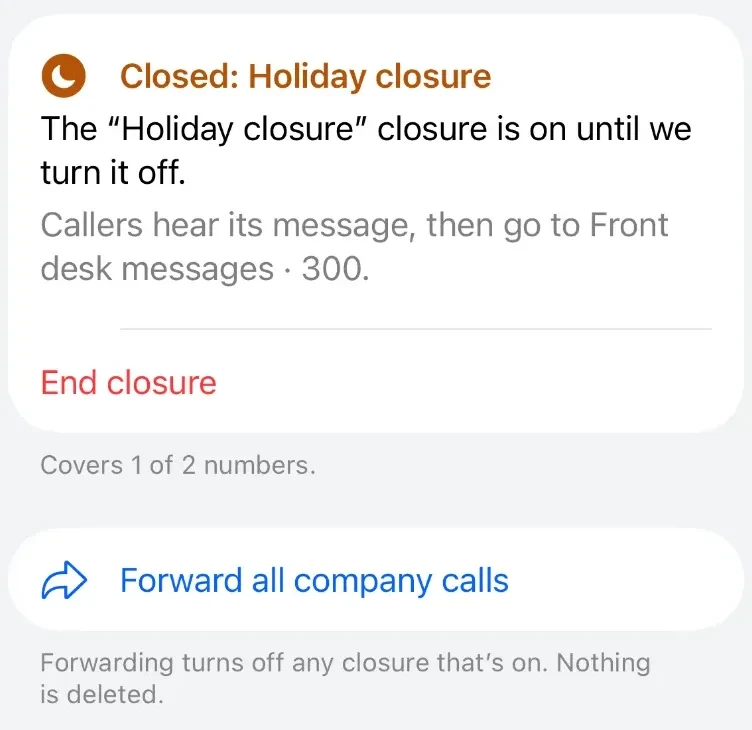
Closed early? Change it from a phone.Everyline’s company controls close the business, start a holiday closure or forward every call, without opening a schedule. Callers hear the closure’s message until someone presses End closure.
Answered on a desk phone, an app or a browser.
Hold, transfer, park and conference work from all three, and the team view shows who’s free.
Everyline apps- Line 1Line 2Park 1Park 2Night modeFront officeSaved layoutRosa · 101Jen · 102Dev · 104Sam · 105Warehouse
A desk phoneSupported models, with keys planned once for the office.
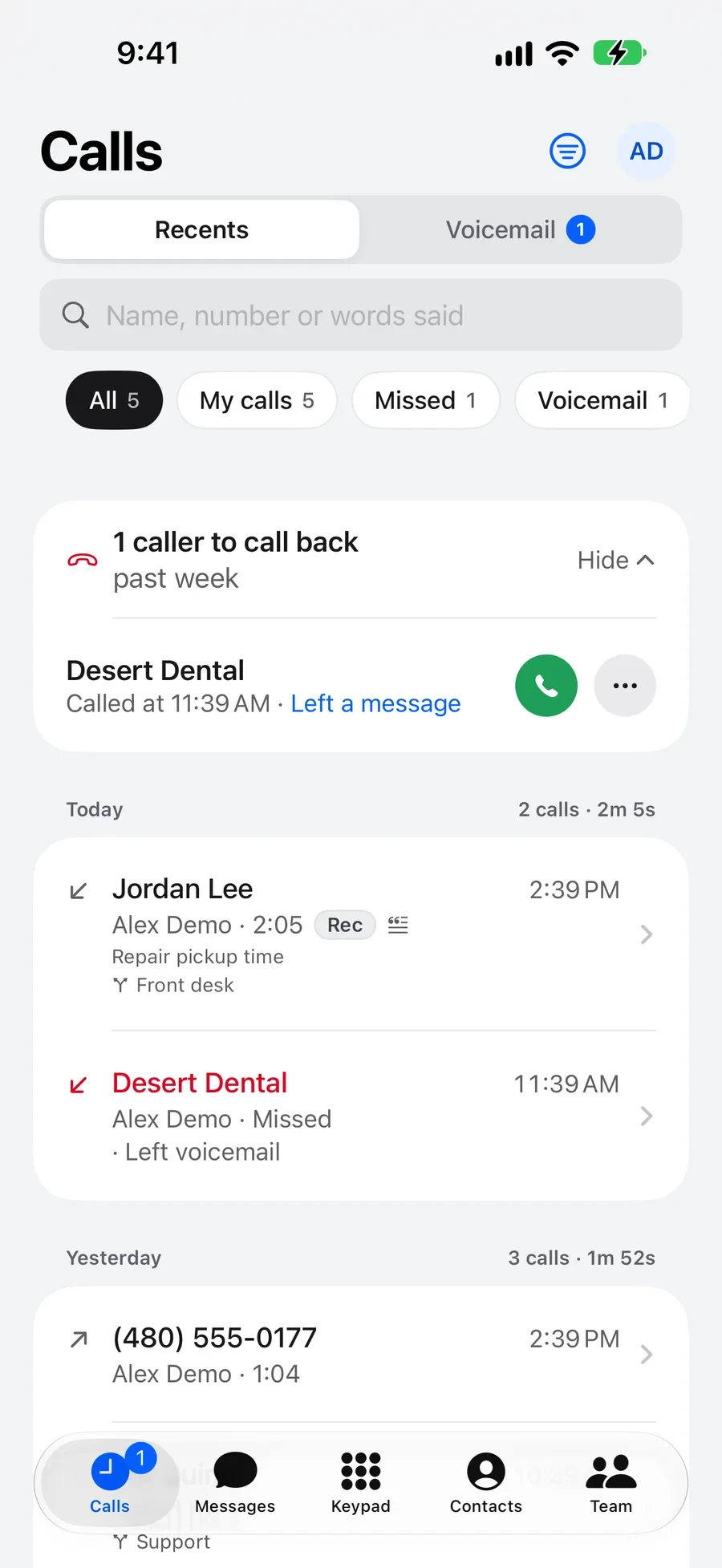

EverylineiPhone, Android and Mac, signed in with the portal login.
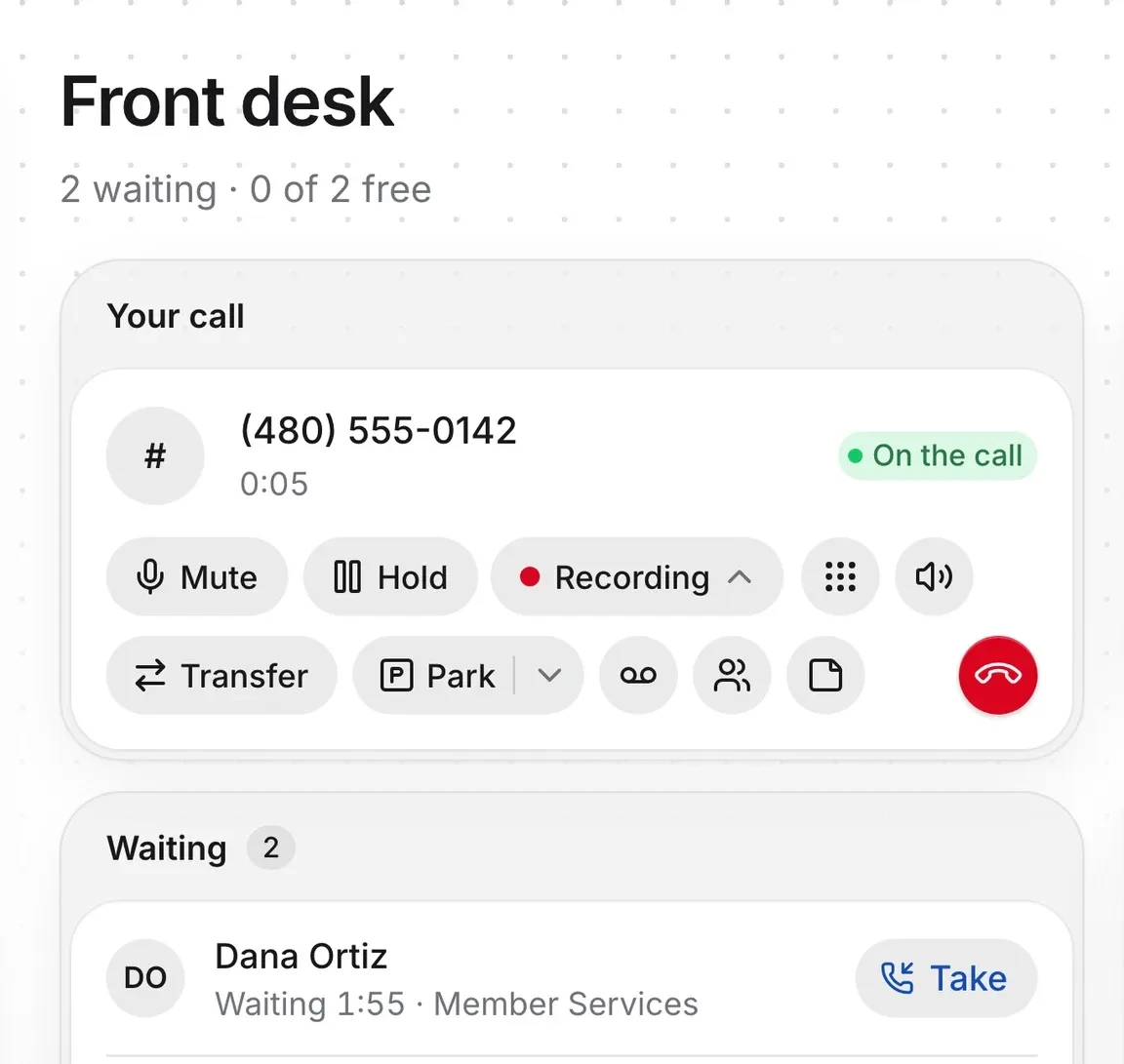
A browser tabCalls in the portal, with a front desk for whoever answers the main line.
A history of every call, and voicemail you can read.
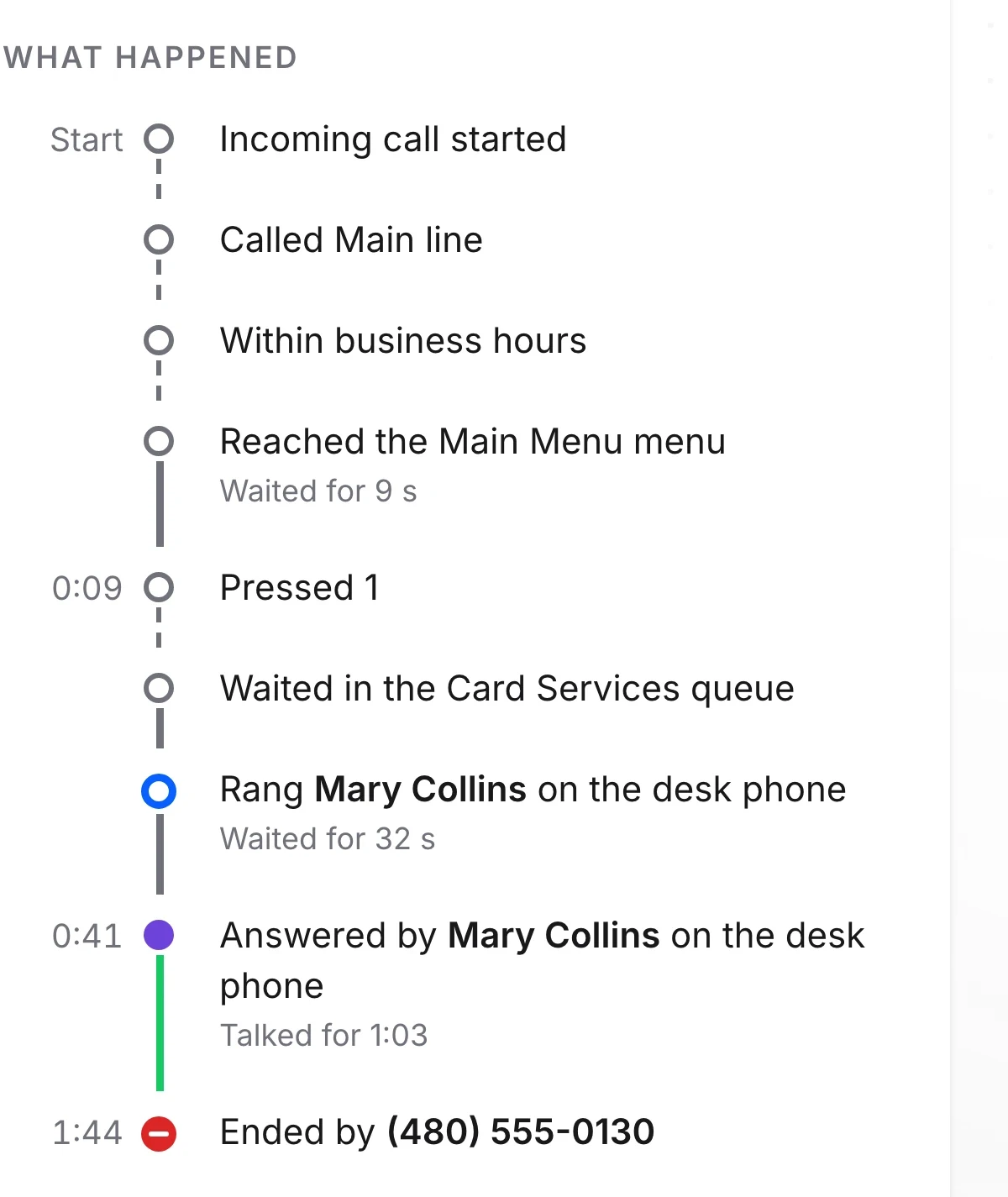
Call history
Every call with who, when, how long and how it ended. Each opens its journey: the number dialed, the rule that applied and who rang.
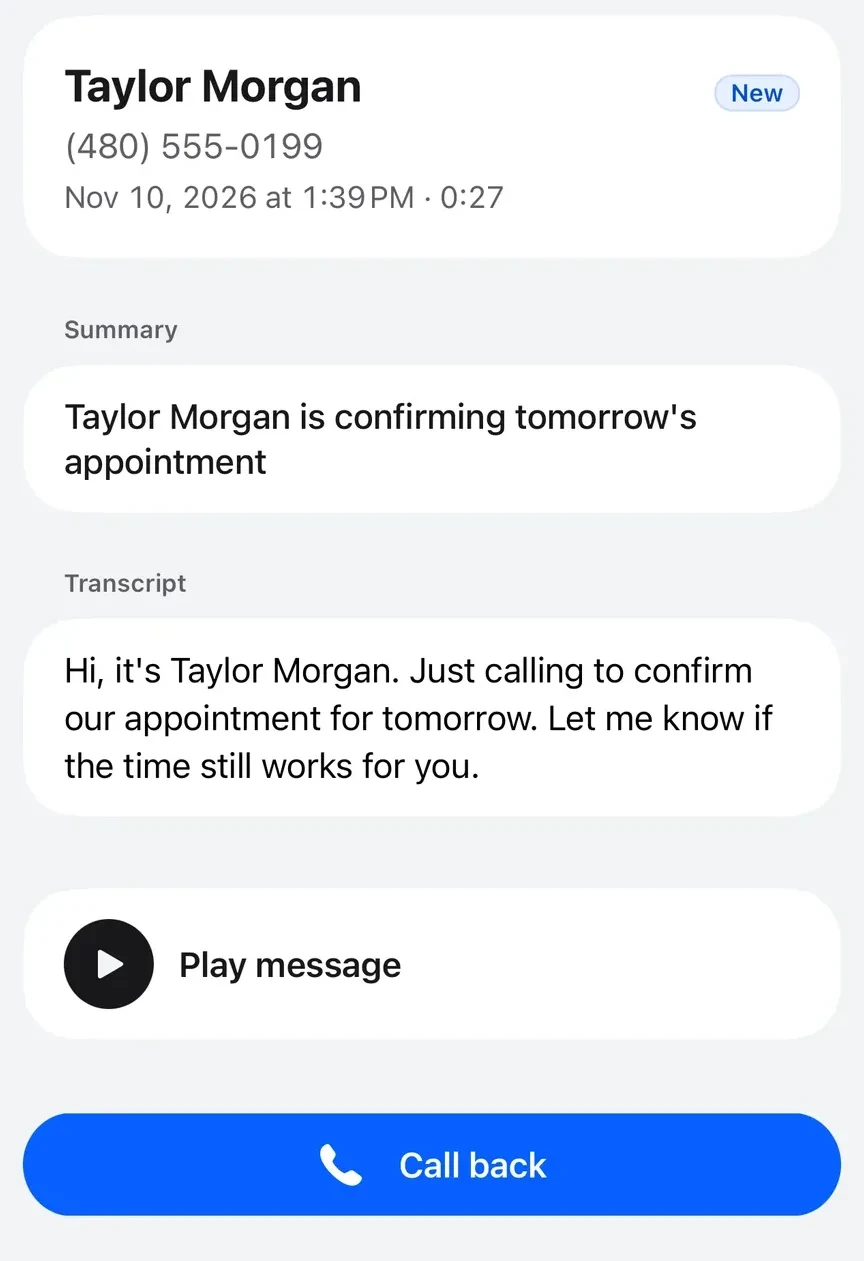
Voicemail you can read
Written out in the apps and emailed with the recording, with shared boxes for a team.
Turned on separately
Call recording
Record calls by rule or on demand, with who may play them set by role.
Transcripts and summaries
Ask for a recorded call’s transcript, with a short summary and the follow-ups.
Everything in a business phone system.
Calls and routing
New and ported numbers, hours, holidays and closures, phone menus, ring groups, forwarding and do not disturb, blocking and screening.
What each one does: calls and routing
- Numbers and the main line
- New numbers or ported ones, each with its own route.
- Hours, holidays and closures
- A week’s schedule, and a closure that comes first until it ends.
- Phone menus
- “Press 1 for appointments,” each key to a group, person or mailbox.
- Ring groups
- Phones that ring together or in turn, then a next step.
- Forwarding and do not disturb
- Send calls elsewhere or let the phones rest, from the portal or the apps.
- Blocking and screening
- One list stops a number’s calls and faxes on every line. Unknown callers can be asked to say who they are, and known junk is stopped.
Answering and the team
Desk phones, Everyline and the browser on one extension, extensions and dial codes, transfer, hold and park, conference calls and paging.
What each one does: answering and the team
- Desk phones
- Supported models from the device catalog, with keys planned once for an office.
- Everyline and the browser
- The same extension on iPhone, Android, Mac or a browser tab.
- Extensions and dial codes
- Extensions to reach coworkers, and star codes for voicemail, park and switching a call flow.
- Transfer, hold and park
- Attended and blind transfer, hold, and park in a named slot a coworker picks up from.
- Conference calls
- Bring coworkers and outside numbers onto one call from any device.
- Paging
- Speak through a group of desk phones at once.
Contacts and records
Voicemail you can read, call history with each call’s journey, call notes, call recording and shared contacts.
- Voicemail Written out where the account allows it
- Call recording Turned on per account
- Shared contacts Desk-phone screens don’t show saved names yet.
What each one does: contacts and records
- Voicemail you can read
- Written out and emailed, with shared boxes for a team.
- Call history
- Every call with who, when, how long and how it ended. Each call opens its journey.
- Call notes
- Notes on a call that everyone who can see the call reads.
- Call recording
- Record calls by rule or on demand, with who may play them set by role.
- Shared contacts
- One saved contact names the caller on call history, voicemail, messages and the apps’ ring.
Settings and safety
Caller ID, greetings and voices, music on hold, where calls go when no phone is online, logins, roles and activity, extension import, and 911 addresses and alerts.
- 911 A VoIP line’s 911 call depends on power, the internet connection and the registered address being current.
- 911 alerts An alert is a notice to your own people; it is not a response by emergency services.
What each one does: settings and safety
- Caller ID
- Choose the number and name your customer’s calls show.
- Greetings and voices
- Record or upload a greeting, or type one and hear it in a choice of studio voices before saving.
- Music on hold and outage backup
- Company music for callers on hold and in park, from a track the business uploads or chooses. Where calls go while none of the company’s phones is online, with an optional recording first. How outage backup works
- Logins, roles and activity
- Owners, admins and staff, each seeing what their job needs; owners invite coworkers and reset passwords. Who signed in and who changed what in the business’s own account.
- Extension import
- Bring a whole office’s extensions in from a spreadsheet, checked in full before anything is created.
- 911 addresses and alerts
- A registered 911 address for every line, set and checked in the portal. When someone dials 911, chosen people are told by email, text, phone call or iPhone notification.
Add-ons, as the business grows Each runs on the same account, numbers and apps.
- Contact center
Queues with callback requests, a live board and coaching.
- Messaging and fax
A shared texting inbox and a fax box on the same numbers.
- Transcripts and Insights
Charts that open the calls behind them, and the call transcripts above.
- SIP trunking
For a site keeping its PBX, on the same account as hosted seats. Each number rings the PBX or the hosted system.
What you control as the provider
From the partner portal you open any business’s portal, set what each one may see and change, and set the defaults new accounts start with.
Your controls in detail
- What each business sees
- Decide per business whether Phone System and Company settings are Hidden, View only or Can change.
- Changes across accounts
- Select accounts across pages and set visibility or the Insights add-on for all of them at once. Accounts that don’t qualify are listed rather than changed.
- Defaults and dial codes
- Set the starting settings each new account gets. Dial codes you add ring an outside number from any line on your accounts.
Sell a phone system without building one.
We’ll set up a sample business under your brand and walk through what your customers run, what your team controls and what we handle.