Change platforms without starting over.
Bring your customers across from another system in planned batches, under your brand, with more to sell once they’re here.
Your customers today
- Customer accounts
- Numbers
- Desk phones and adapters
- PBXs on SIP trunks
- Extensions
In planned batches, in the order you choose
- Pilot
- Batch
- Batch
Here, under your brand
And new to sell
Add-ons are priced in your quote.
Already have an origination provider? Keep that relationship and bring its incoming calls to Carrier Grade, without porting those numbers. Bring your own carrier
Continuity, line by line.
The order of customers, the batches and the pilot’s pass criteria are agreed with you.
Numbers
A ported number rings here once its port completes. One kept with your origination provider rings here once that provider sends its calls to us.
Before and after
- Prepare
- To port, you submit each request with the details the current carrier holds and the customer’s signed authorization. Our desk files it; a rejection comes back to you to fix in place.
- After the move
- The port reads Completed. New numbers are ordered by area code.
Accounts and logins
The owner signs in with a setup link, to a portal under your logo.
Before and after
- Prepare
- Create each account in the partner portal or through the partner API, starting from your defaults.
- After the move
- You choose how much of the portal each business runs: Hidden, View only or Can change.
Extensions and routing
Calls follow the account’s routing as soon as its numbers arrive.
Before and after
- Prepare
- Import an office’s extensions from a spreadsheet, checked in full before anything is created; build its menus, hours and groups.
- After the move
- Each call’s journey shows the rule that applied and who rang.
Desk phones and adapters
Each phone registers and fetches its settings.
Before and after
- Prepare
- Check models against the supported catalog, assign each from stock by its label, and plan key layouts per office.
- After the move
- The device list shows each phone’s last registration; phones at one site that drop together are flagged.
A PBX the customer keeps
Its numbers ring the PBX over a SIP trunk.
Before and after
- Prepare
- Confirm the PBX’s signaling and codecs, calls at once, authentication, TLS and SRTP, and where calls go if it can’t be reached.
- After the move
- Trunk calls show in call history beside any hosted seats.
Business texting
Our desk files each business’s registration.
Before and after
- Prepare
- Turn messaging on for the account. The business fills in its brand and campaigns, or you do, and our desk files the registration.
- After the move
- You follow each business’s registration and its numbers’ status.
911 addresses
Our desk registers each saved address for emergency routing.
Before and after
- Prepare
- Collect the registered address for every line.
- After the move
- You see and correct addresses across accounts in one view.
Numbers and equipment, tracked in one place.

Every port by stageWith what it’s waiting on, and a rejected one fixed in place. Each date is the losing carrier’s.
A number leavingWhen a carrier asks to move one of your numbers away, you see the request and ask the customer to confirm it. How a port moves
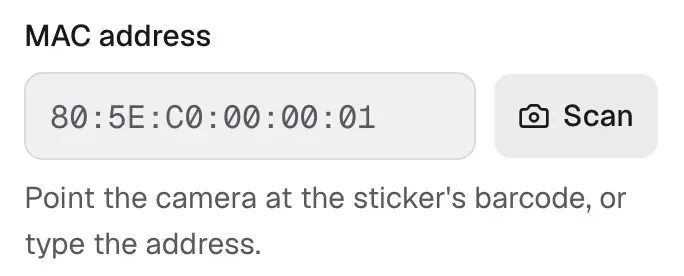
From your shelf to their deskEvery phone and adapter, added by hand or by scanning its label. Desk phones and provisioning
What your customers notice.
You decide what to tell each customer, and when.

A sign-in page with your logoFrom the setup link each owner receives.
Your support contactOn their portal’s Support page.

Named EverylineThe apps keep the Everyline name for every provider, with your logo and support line inside, in Help & support.
Then sell more than lines.
Customers add it without another move.
Part of the service

Everyline apps
The same numbers ring on iPhone, Android and Mac, and in a browser tab.
Add-ons
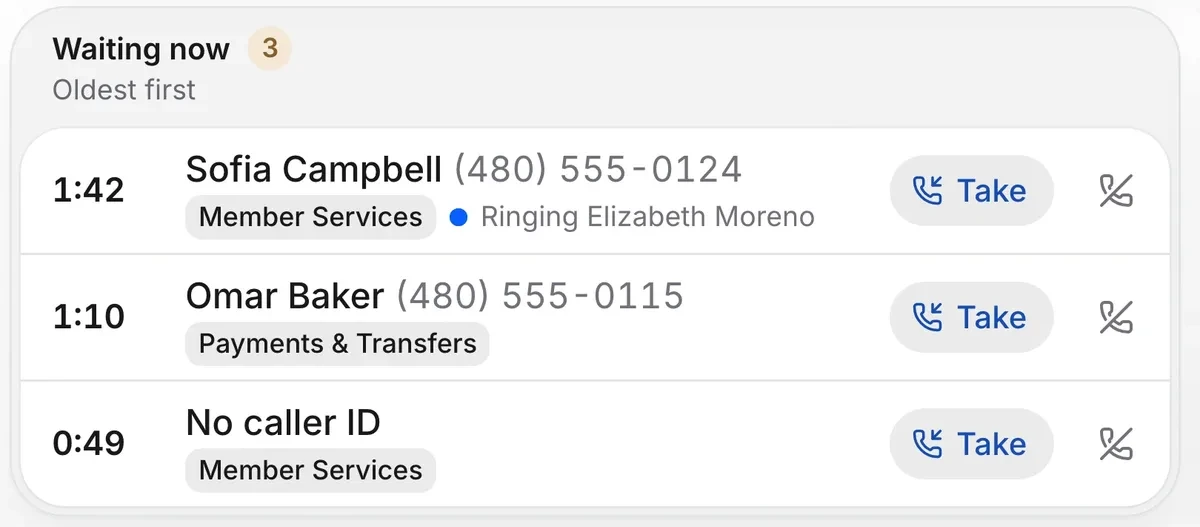
Contact center
Queues with callback requests, a front desk switchboard and a live board.
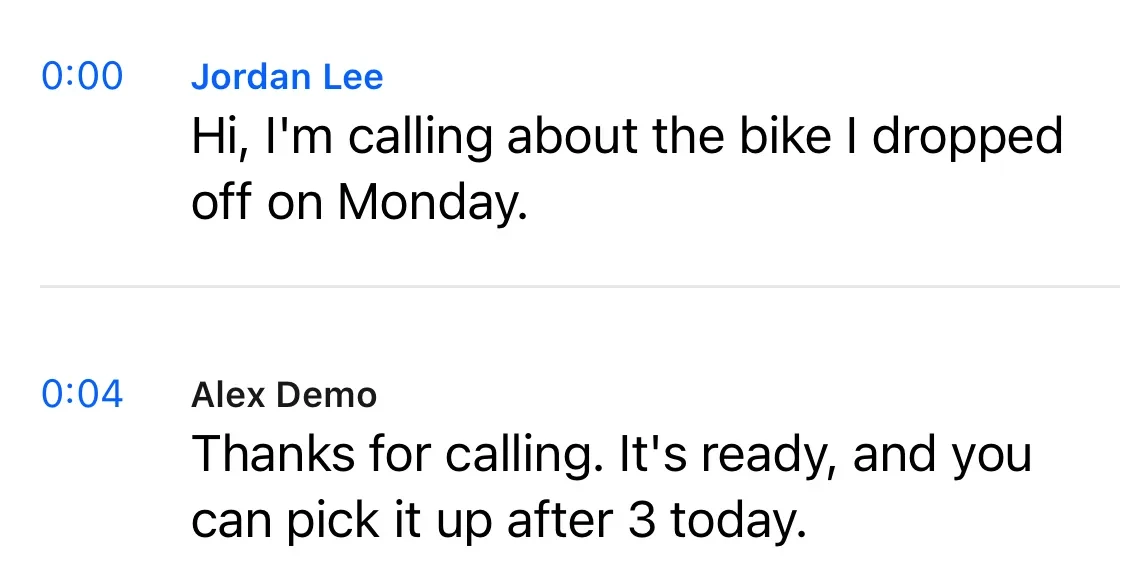
Call transcripts and summaries
A recorded call can become a transcript, with a summary and the follow-ups.
Questions a switch raises
Can we move customers in batches?
Do customers have to replace their phones?
Can a business keep its own PBX?
Will our customers see the Carrier Grade name?
Can we provision from our own systems?
How long will our migration take?
What changes in our relationship with customers?
Plan your first batch with us.
Bring a rough count of customers, numbers, carriers and phone models; we’ll plan a first batch with you and price the rest.