A possible site issue
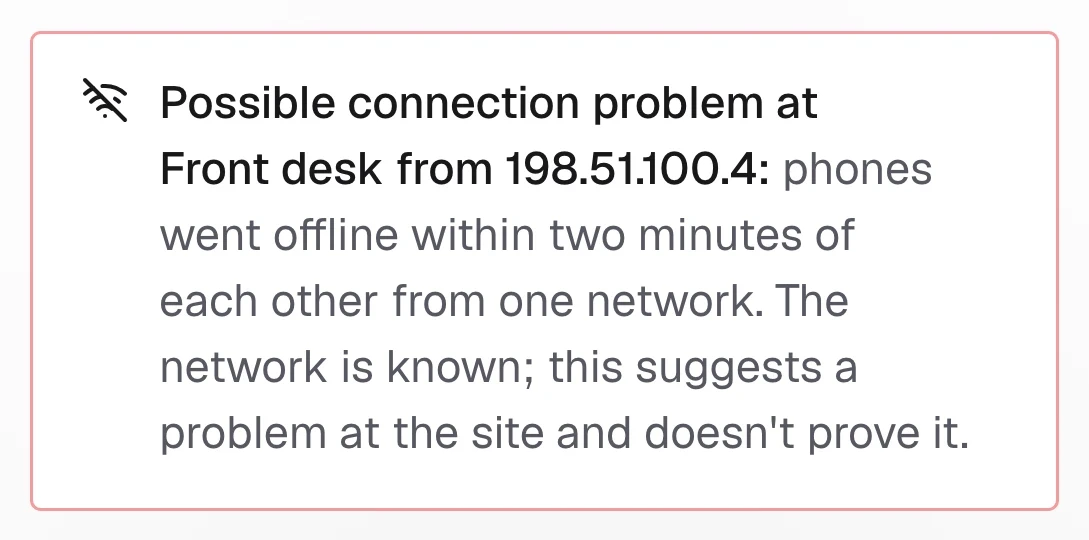
Phones at one site that go offline together, from one network, are flagged as a lead to check, not a confirmed cause.
Your team brings each account into service, shapes what it gets, sees what needs attention and supports it, all in one place. The partner API reaches the same accounts.
Business · #100011
Active1 phone offline
Services
Off: SIP trunking, Virtual fax, Messaging, Contact center
Customer portal visibilityHidden
Numbers and calls
Sites and phones
Main office2 of 3 online
Fuel dock3 of 3 online
Needs attention
Last 24 hours
Last 24 hours
No changes in the last 24 hours.
Last 24 hours
No changes in the last 24 hours.
Last 24 hours
No changes in the last 24 hours.
Last 24 hours
No changes in the last 24 hours.
Last 24 hours
No changes in the last 24 hours.
Business · #100003
Onboarding
Services
Off: SIP trunking, Virtual fax, Messaging, Contact center
Customer portal visibilityHidden
Numbers and calls
Sites and phones
Main office3 of 3 online
Warehouse2 of 2 online
Onboarding
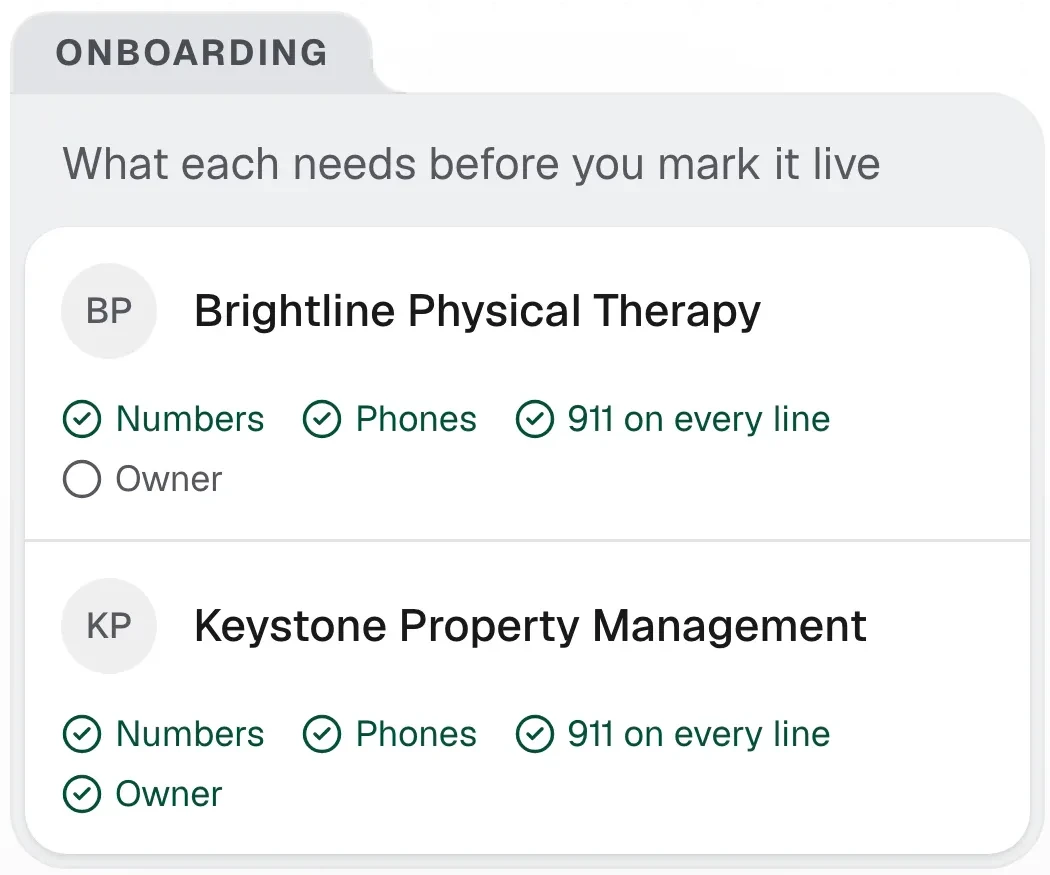
What it needs before you mark it live
Your team marks it live. Nothing goes live on its own.
Last 24 hours
No changes in the last 24 hours.
Last 24 hours
No changes in the last 24 hours.
Last 24 hours
No changes in the last 24 hours.
Last 24 hours
No changes in the last 24 hours.
Last 24 hours
No changes in the last 24 hours.
Business · #100000
Active
Services
Off: SIP trunking, Messaging, Contact center
Customer portal visibilityCan change
Numbers and calls
Sites and phones
Main office5 of 5 online
Warehouse4 of 4 online
Needs attention
Nothing needs attention: all good.
Last 24 hours
No changes in the last 24 hours.
Last 24 hours
No changes in the last 24 hours.
Last 24 hours
No changes in the last 24 hours.
Last 24 hours
No changes in the last 24 hours.
Last 24 hours
No changes in the last 24 hours.
Last 24 hours
No changes in the last 24 hours.
Last 24 hours
No changes in the last 24 hours.
Last 24 hours
No changes in the last 24 hours.
Last 24 hours
No changes in the last 24 hours.
Business · #100004
Active
Services
Off: Hosted PBX, Virtual fax, Messaging, Contact center
Customer portal visibilityCan change
Numbers and calls
Sites and phones
No phones on this account. Its calls come through its SIP trunk.
Needs attention
Nothing needs attention: all good.
Home · #100040
Active
Service
Customer portalThe household’s home portal
Numbers and calls
Sites and phones
Home2 of 2 online
Needs attention
Nothing needs attention: all good.
Last 24 hours
No changes in the last 24 hours.
Last 24 hours
No changes in the last 24 hours.
New account holds the whole setup on one page, and one request creates it all.
New account
The service address becomes the first 911 location for every line.
Onboarding
Every new account starts here, while you finish setting it up. Home lists what each still needs.
Mark live
Your team, once you’re ready. Nothing goes live on its own.
Active
The everyday state: calls, sign-ins and every service run as you set them.
The owner gets a setup link when the account is created, or when you mark it live.
Each account carries your own billing reference, so support and billing find the same customer. You bill your customers from your own system.
A pause with a reason. Resuming puts the account back as it was.
For your admins only, who type the account’s name to confirm. It can’t be undone.
Your defaults start every account. Then you set what each one gets and how much of its portal it runs, one at a time or many at once.
Your defaults
Every new account starts from them: time zone, extension length, rings before voicemail and starter setup.
Your logo, support contact, dial codes and alerts sit beside them in Settings.
Brightline Physical TherapyServices and status
Services Each says what turning it off stops
Add-ons
Insights Off
Customer portal visibility
HiddenView onlyCan change
Many accounts at once
Select accounts across pages and set visibility or the Insights add-on for all of them at once.
View only lets a business read Phone System and change none of it, with Company settings still hidden; Can change lets its owners and admins change both.
What the customer sees at each levelTurn Insights on for the businesses you choose, one at a time, in bulk, or when you create the account.
Insights and AIHome lists what changed across every account, most urgent first, and each item opens the account it’s about.

Home, across every accountPhones at one site that dropped together, a phone offline, a failed or missing 911 address, a phone that never connected.
In an account: three examples
Phones at one site that go offline together, from one network, are flagged as a lead to check, not a confirmed cause.
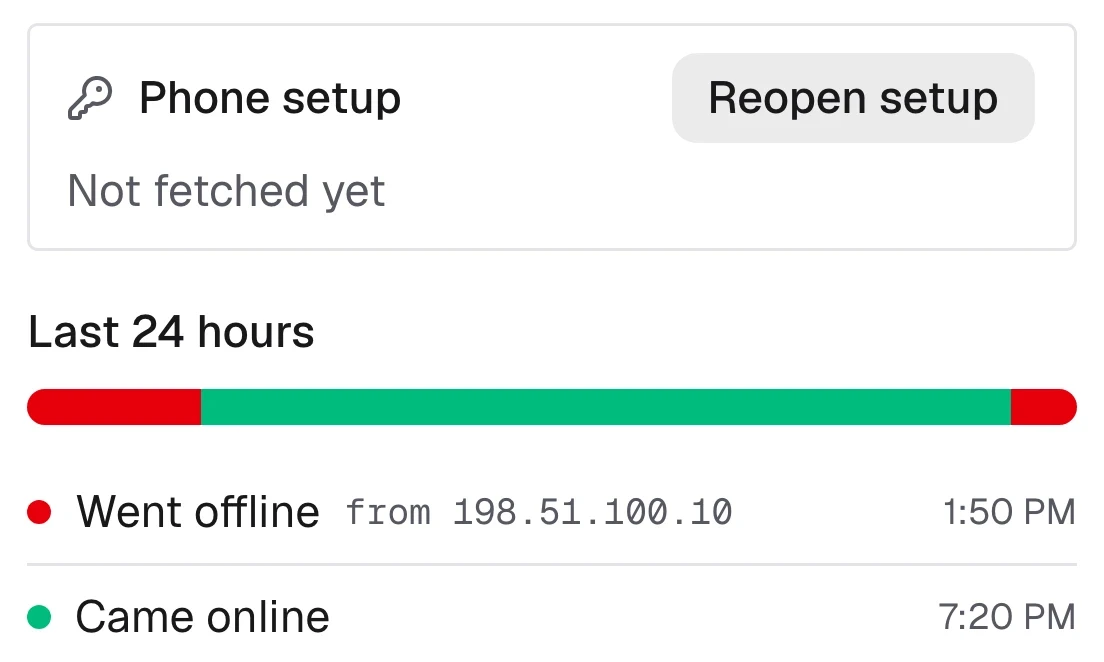
When it went offline and came back over the last day, and from which network. Fetching its settings is a separate fact: a phone can register and still not have fetched them.
Each measured leg
Ext 101 · iPhone appcellularPoor
A call’s page grades how it sounded from what was measured on each leg.
Measured by the apps and browser. Desk phones and trunks don’t report their own measurements yet.
How a call is readYou choose who on your team hears about a site’s phones going offline together, a phone offline for a day, onboarding that stalls and the morning summary.
Your team does the account work in the portal; our desk does what reaches carriers and the network.
| Work | Your team | Our desk |
|---|---|---|
| Ports | You enter the port, follow its stage and fix a rejection. | Our desk sends it to the current carrier and moves it along. |
| Number orders | You buy the numbers available now. | Our desk fills the orders it places by hand. |
| Texting registration | You fill in each business’s brand and campaigns. | Our desk files them and records the approval. |
| Phones | You add, assign, restart and replace phones. | Our desk manages firmware and can read what a phone’s settings hold. |
| Outages and planned work | You see the notice your customers see. | Our desk posts it, and takes it down when it’s over. |
| Troubleshooting | You ask a customer for a window; their owner or admin approves it. | Our desk takes traces and captures inside it. |
Admin, Staff or Billing, each signing in with two steps: a passkey or an authenticator app.
Each role in SecurityThe partner portal runs on the partner API. Your systems can create accounts, order and port numbers, assign phones and read calls across every customer, and your team sees the result in the portal.
The partner APIPOST /v1/p/accounts
{
  "kind": "business",
  "name": "Brightline Physical Therapy",
  "timezone": "America/Phoenix",
  "active_services": ["hosted_pbx"],
  "service_address": {
    "address1": "103 Main St",
    "city": "Mesa", "state": "AZ",
    "zip": "85201" },
  "owner": {
    "first_name": "Lena",
    "send_link_now": false,
    "email": "owner@brightlinept.example" }
}
201 Created
{ "data": {
  "account": {
    "name": "Brightline Physical Therapy",
    "status": "onboarding",
    "services": ["hosted_pbx"] },
  "setup_link_held": true } }
The same account, in your partner portal
Brightline Physical TherapyBusinessOnboarding
Its owner’s setup link waits until your team marks it live.
In a demo we run sample accounts through the portal: a new customer, its services, numbers and phones, its health and the people on your team.