For businesses
Business phone systems
Extensions, phone menus, ring groups, desk phones and readable voicemail, run from the business’s own portal.
Desk phonesEveryline for iPhone, Android and MacA browser tab
We provide the platform at wholesale. You sell communications to businesses and households under your brand, on your terms and at your prices.
Your customersUnder your brand
Your brandYour logoDW
Good afternoon, Diane
Harper Valley National Bank
Right nowThursday, 2:20 PM
Where calls go
Main lineReception · until 5 PM, then Front desk voicemail
A businessIts own portal, with your logo from the sign-in page on and your support contact on its Support page.
 Everyline
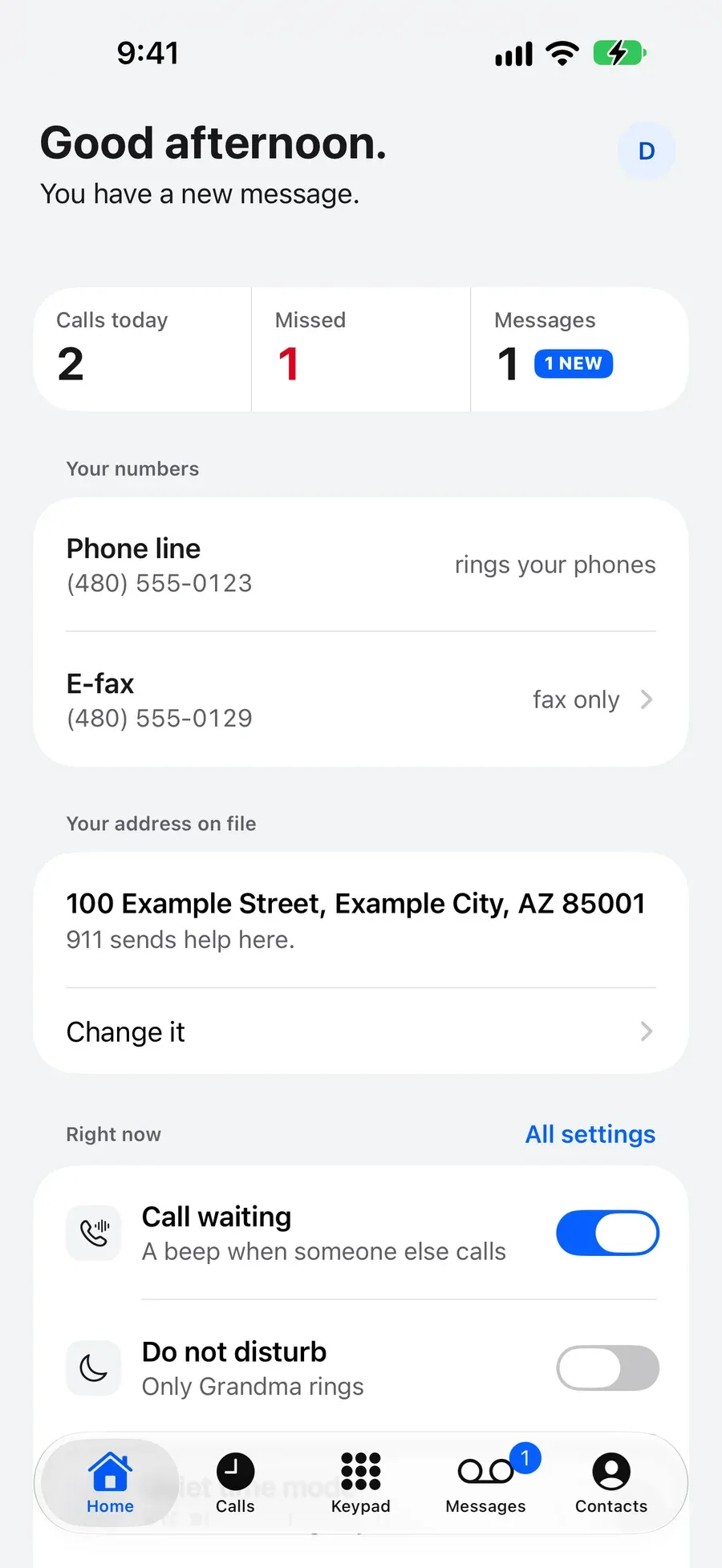
Your brand
Right now
Do not disturbYour phones ring as usual
Quiet time modeEvery night, 10 PM to 7 AM
A householdIts home portal under your logo, and the app, named Everyline, with your logo and support line inside.
Your teamYour partner portal
Accounts
JLJordan Lee AdminRCRiley Chen Staff
Every account, one placeEvery customer, home and business, in one list your team can search, filter and open.
Our platformBehind both. We run the network, the portals and apps, and a support desk for your team.
The whole suite is yours to package and price. Names, bundles and retail prices are yours; add-ons are priced in your quote.
For businesses
Extensions, phone menus, ring groups, desk phones and readable voicemail, run from the business’s own portal.
Desk phonesEveryline for iPhone, Android and MacA browser tab
For households
A home line on the handsets a household already owns, with junk-call screening, quiet time and a portal in plain words.
Their own handsets, on an adapterEveryline for iPhone and AndroidA browser tab
As a business growsMore to sell where a business wants it, each with its own condition.
Customer-facing teams
Business AI
Keeping a business’s PBX? SIP trunking connects it to numbers on the platform.
Do your customers see the Carrier Grade name? They see yours wherever they manage their service; the apps they install are named Everyline, with you inside.
The apps’ side in detailIn their portal
Your brand
Sign-in and every pageYour logo and name.
Their Support pageYour support contact.
Everyline
 Everyline for MacDownload
The Mac downloadDownloaded from the customer’s portal.
In the Everyline apps
Your brand
Help & support, inside every appYour logo and support line, with your support email.
Everyline
 EverylineiPhone · Android · Mac
The apps’ names and store listingsNamed Everyline for every provider.
Your defaults start every account. Then your team sets what each one gets and how much of its portal it runs, in the partner portal.
The partner portal, workflow by workflowYour partner portal · one account
Accounts. Create home and business accounts from your defaults: time zone, extension length, rings before voicemail and starter setup. The owner gets a setup link when the account is created, or when you mark it live.
Services
Hosted PBX
Off: SIP trunking, Virtual fax, Messaging, Contact center
Add-ons
Off: Insights
Services and add-ons. Turn Insights and texting on for the businesses you choose. Contact center queues and call transcription are add-ons priced in your quote.
Customer portal visibility
HiddenView onlyCan change
How much each business runs. Hidden, View only or Can change, per account or in bulk.
Before it goes live
Numbers and phones. Order numbers, submit ports, and assign desk phones and adapters from your own stock.
Admin, Staff and Billing logins, each signing in with a passkey or an authenticator app, and who hears which alerts.
Roles and sign-inYou bill your customers at your prices, and we bill you at wholesale. Your customers contact your support line, and your team escalates to our desk what needs it.
Your customerA business or a household
YouThe provider
Carrier GradeOur platform and desk
Your customerPays you.
YouSet your retail prices and bill your customers on your own terms.
Carrier GradeBills you at wholesale, as your agreement sets out.
Your customerContacts you, not us.
YouYour support line answers. Your contact details are on their portal’s Support page and in the apps’ Help & support.
Our deskTakes the problems your team escalates.
Your team, any day
Accounts, numbers, phones and settings in the partner portal, and their portal through Open portal. No approval needed.
Our desk, only in a window
We troubleshoot a customer’s calls only in a window that customer’s owner or admin approves, for the days they choose.
How support access starts and endsYour team does the account work in the partner portal; our desk does what reaches carriers and the network, from sending a port on to traces inside a window the customer approves.
| When | You | Our desk | Your customer |
|---|---|---|---|
| Accounts, numbers and devices | Create accounts, order numbers, and assign phones from your stock in the partner portal. | Completes the orders that need a carrier’s hand. | Signs in to the portal you set up. |
| Bringing numbers in | Submit the port with the customer’s details, and fix a rejected request in place. | Files it with the carrier and moves it through its stages. | Signs the authorization. |
| A number leaving | See each request, ask the customer to confirm, and stop one they didn’t ask for. | Answers the carrier. | Confirms it was theirs. |
| Texting registration | Turn messaging on for the account; you can fill in its record too. | Files it with the numbers’ carrier and sets its status. | Fills in its brand and campaigns, and collects its own opt-in consent. |
| A call that sounded bad | Ask the customer to request troubleshooting, and bring us its six-digit code. | Captures and investigates only inside the window the customer approved. | The owner or admin approves it for the days they choose, and can end it. |
| 911 addresses | Keep them right for every business whose settings are Hidden. | Registers each saved address for emergency routing. | Keeps its own current when its settings are visible. |
How long each step takes depends on you and on your customers.
We walk the platform with your team, around the customers you serve today. Rough answers to the six questions below are enough for a first quote.
What goes into a quoteWholesale pricing comes with its terms. You contract with IronSIP LLC, the company behind Carrier Grade.
Your logo and support contact, your team’s logins and your defaults for new accounts. Reference documentation and API keys come with your partner account.
A pilot account or two, then the rest at your pace. Existing customers move by plan.
Migration guideBring them to the demo; you don’t need them to ask for one.
The evaluation guideWho you serve, homes and businesses; the numbers and equipment they use; and how you support them today. We’ll walk through the platform, the partnership and a wholesale quote against them.