Texts to the business number, answered as one team.
Texts to a business’s numbers land in one inbox its team shares, in the portal and Everyline. Each conversation shows who has it, keeps notes only the team reads, and replies from the number the customer texted.
Try it: you’re Jordan Ellis. Send the reply, or switch to Note.
Your team’s Messages in the business portal
- Grace HollowayHi, can I move Thursday’s 10 AM to Friday morning?JE(602) 555-0187, unassigned, open now
- (480) 555-01771 imageService line, unassigned, unread
- Owen ParkYou: Yes, we’re open until 6 today.AD(602) 555-0123, assigned to Ana Diaz
- Lena BrooksPerfect, thank you!AD(623) 555-0148, assigned to Ana Diaz
Grace Holloway(602) 555-0187
Assigned to: Unassigned
- Incoming call · Missed · 9:41 AM
Hi, can I move Thursday’s 10 AM to Friday morning?
Main line · 9:43 AM
Grace’s phone her own texting app
Grace’s phone, texts with(480) 555-0140Ridgeline Services’ Main line
Hi, can I move Thursday’s 10 AM to Friday morning?
Gets the reply, from the number she texted.
Gets nothing. A note never leaves the team.
Friday at 9:30 AM is open. I’ve moved you there.
Jordan Ellis · Main line · · SentFriday at 9:30 AM is open. I’ve moved you there.
Note · only your team sees this
Thursday’s 10 AM is free again if anyone asks for it.
Their texts and their calls, in one conversation.
A customer’s thread holds every text and every call with them, in time order, so whoever answers next sees the missed call before they reply.
- Calls in line. Each call with the customer sits among the texts in call history’s words: answered and by whom, missed, or a voicemail. Pressing one opens the call’s record; its recording plays only for people allowed to listen.
- The names your team saved. A number shows as its shared contact’s name, else its caller ID name. Naming a number from its thread names it everywhere it appears.
- One thread for each customer, across every number the business texts from. A reply goes from the number they texted; choosing another says so: “They texted Main line. This reply comes from Service line.”

Also in Messages
Writing
- Saved replies the whole account shares
- Up to three pictures in a reply
- Group texts show too; replying to a group isn’t available yet
Finding
- Search across every text, open and done
- Pins, each person’s own
- Block a number from its thread
Hearing about it
- Text alerts by email, chosen for each number
- Notifications in the browser and on iPhone and Android
- The count of unread conversations beside Messages
The same inbox in Everyline, away from the desk.
On iPhone, Android and Mac the team keeps the same views, owners, notes and replies from the business’s numbers. A new text for someone, or for nobody yet, can reach their phone as a notification.
The Everyline apps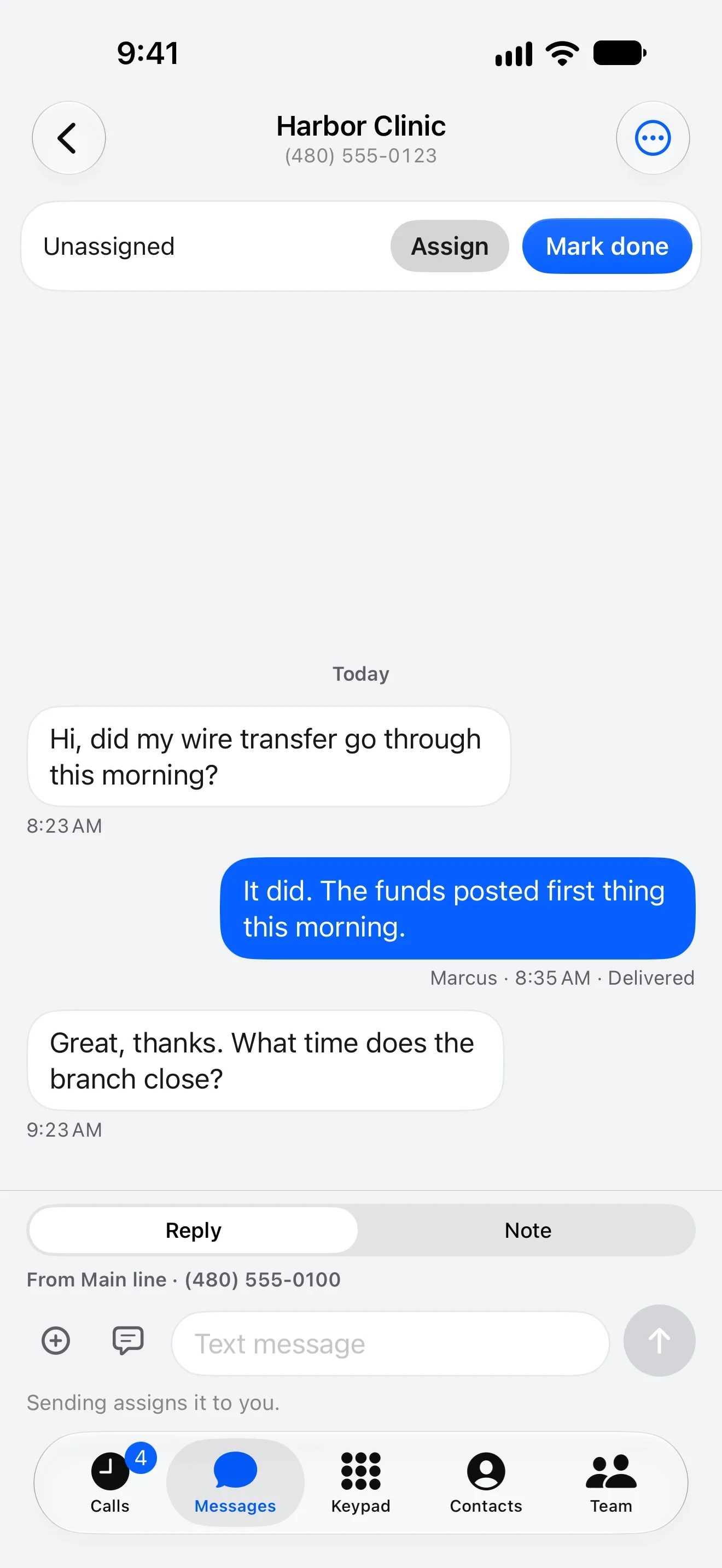
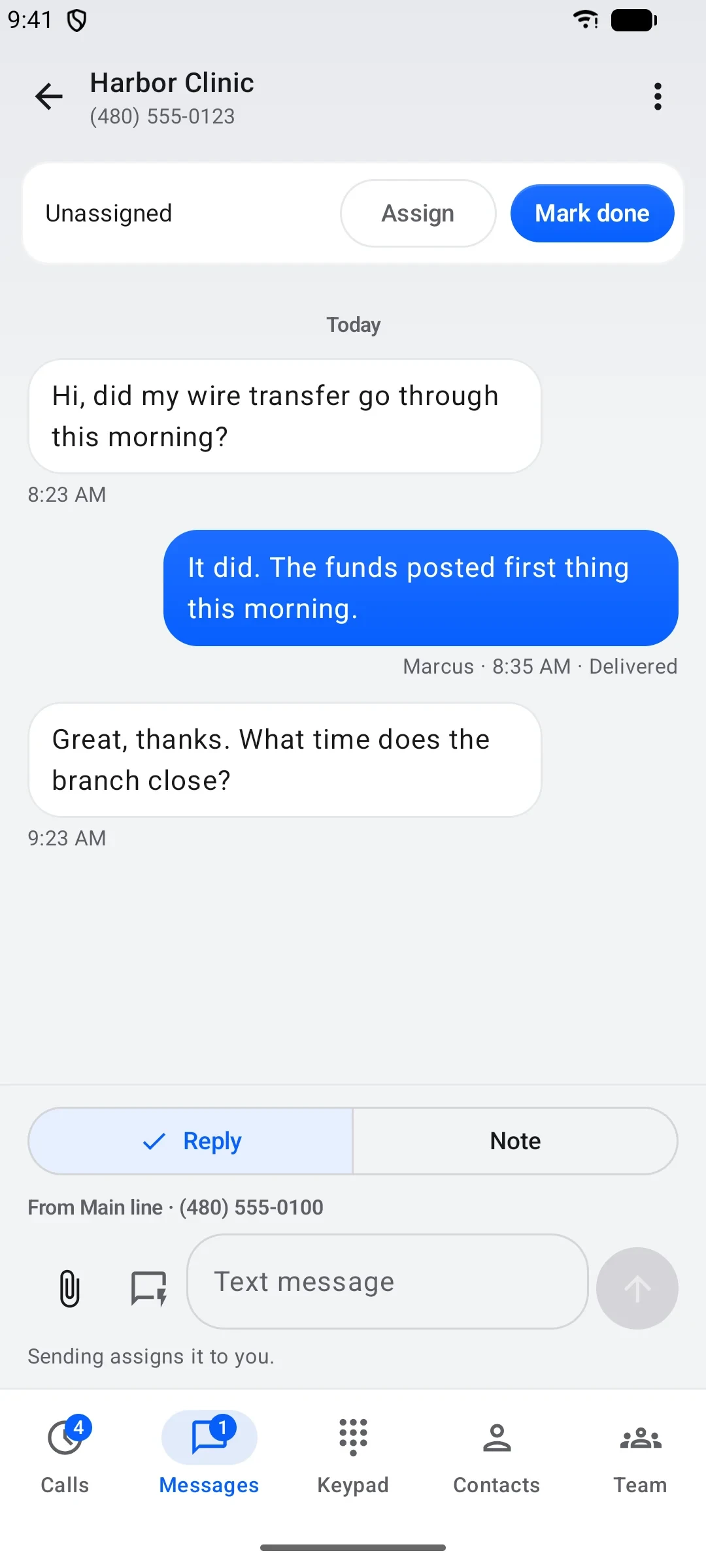
- In the thread. Assign, Mark done, Reply and Note, From the business’s number, and “Sending assigns it to you.”
- From the phone itself. A photo taken there or picked from the library, and the account’s saved replies.
- On a Mac. The same Messages in a full window; ⌘ Return sends.
Customers need nothing new. They text the business’s number from their phone’s own messaging app, as Grace did above. Everyline is for the business’s team.
Registration you can follow. Approval stays with the carriers.
Turning texting on for an account is your yes to its registration. The business, or you for it, fills in its brand and a campaign; our desk files them; the carriers decide.
The partner portalAccounts Ridgeline Services Texting registration
Texting registration
Brand
Who the business is, as the IRS knows it.
Ridgeline Services LLC
Verified
Campaigns
Customer care
Numbers that send them
- (480) 555-0140 · texting
- (480) 555-0141 · texting
Approved
How a campaign’s status moves
- Not sentFilled in by the business in its portal, or by you, then sent to our desk.
- With our deskWe file the brand and each campaign with the carriers.
- In carrier reviewThe carriers decide.
- ApprovedNeeds correctionsDeclinedCorrections come back with our desk’s note, are made in place and sent again.
A brand is Verified or Unverified. Each toll-free number is verified on its own, then Approved or Declined. Every status shows in your partner portal and in the business’s own.
Before the first reply goes out.
A business can receive texts before it can send them. Four things decide when its replies go, and each has its owner.
Your step
Texting turned on for the account
Your yes to its registration, and Messages opens for its team. It isn’t approval to send.
The carriers’ decision
An approved campaign for the number
New numbers receive texts from day one; sending waits for the approved registration. Until then a reply can’t go, and the box says so:
This number can receive texts but can’t send them yet.
A number from elsewhere
The number texting with us
A number already texting with another provider keeps that provider until it’s moved. Number porting
The business’s duty
Consent from the people it texts
Collecting opt-in consent is the business’s responsibility; the portal keeps no record of it. A STOP to any of its numbers stops texts to that person from all of them, until they text START.
A shared inbox for every business, in the seat you sell.
We’ll show the shared inbox in the portal and in Everyline, and how a business’s texting registration runs from your partner portal.