Phone service to sell with your broadband.

Home lines and business phone systems under your brand, at your prices, with our network behind them.

Your brandThe portals carry your logo; the apps keep the name Everyline, with your logo and support line inside.

  • Home phone
  • Business phone

On your broadband

Your teamOne partner portal for both

The partner portal’s Accounts: Anderson & Cole Law, a business, and Bennett Household, a home, both active and all good.

Two services to sell.

A household’s home portal, its everyday switches: call waiting on, do not disturb off, quiet time every night from 10 PM to 7 AM, and forward every call off.

Home phone

Their own handsets on an adapter from your stock, their number ported or new, and a portal in plain words.

What’s included: home phone
Adapters for familiar handsets
A phone adapter lets a household keep the handsets they already own. It plugs into the home’s router, and their own handsets ring and dial as before.
Their number
Ported from their current provider, or a new one.
Voicemail you can read
Messages written out and emailed with the recording.
Junk calls and screening
Unknown callers can be asked to say who they are, and known junk is stopped.
Quiet time
The phones rest on a schedule, and the people who matter still ring.
Ring my cell too
A call to the house rings a cell phone as well.
A registered 911 address
A registered 911 address for every line, set and checked in the portal.
On the go
The same home line on Everyline for iPhone and Android, and calls from the home portal in a browser.
Home phone
Where calls go, in a business’s portal: its main line goes to Reception until 5 PM, then to Front desk voicemail, on the day’s timeline.

Business phone

Numbers, extensions and routing for the shops and offices you connect, on desk phones, Everyline and a browser tab.

Add-ons you price: contact center queues, texting, call transcription and Insights.

What’s included: business phone
Numbers and routing
New and ported numbers, hours, holidays and closures, phone menus and ring groups.
Extensions and the team
Extensions and dial codes, transfer, hold and park, conference calls and paging.
Desk phones
Supported models from the device catalog, assigned from your stock.
Everyline and the browser
The same extension on iPhone, Android, Mac or a browser tab.
Voicemail and call history
Voicemail written out, with shared boxes for a team, and every call with its journey.
Business phone

Keeping a PBX? Connect it through SIP trunking.

When a home phone goes offline.

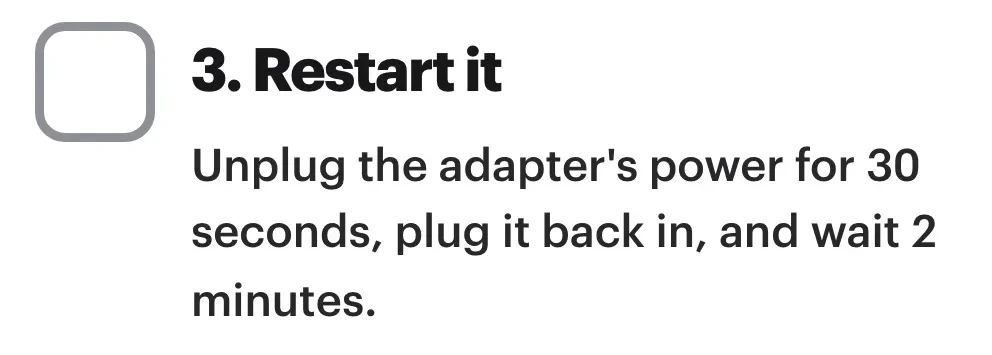
The home portal’s offline checklist on a phone, its third check, not yet ticked: 3. Restart it. Unplug the adapter’s power for 30 seconds, plug it back in, and wait 2 minutes.

Their portalPlain steps to get it back, and where calls go meanwhile. Home phone help

If they call you

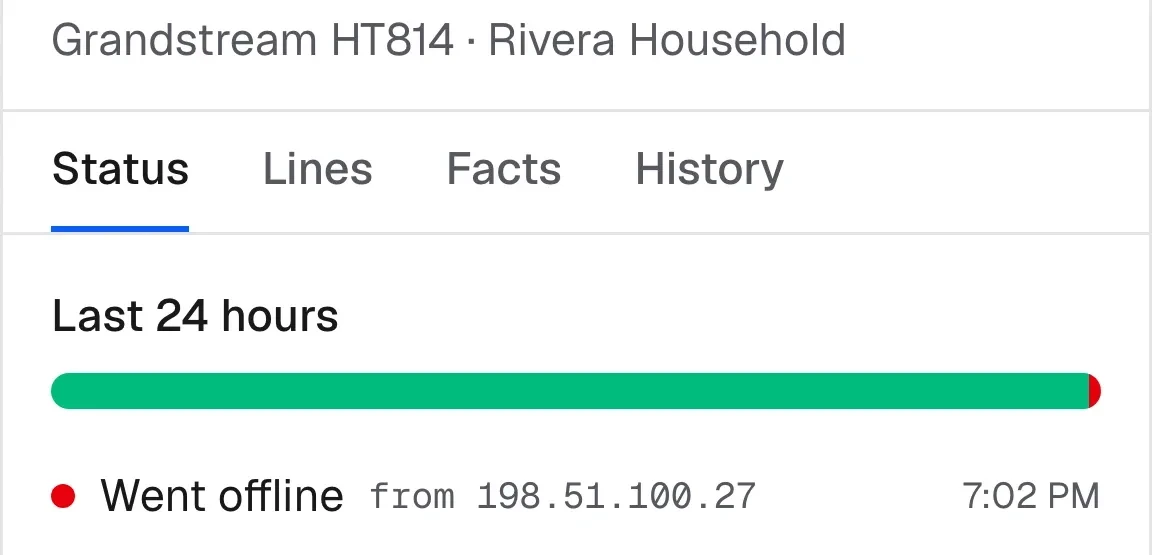
The partner portal, the Rivera Household’s Grandstream HT814 on Status: online through the last 24 hours until it went offline from 198.51.100.27 at 7:02 PM.

Your partner portalThe same adapter’s last registration and network: a place to start, not a diagnosis. Devices across accounts

Sonar on your own support line.

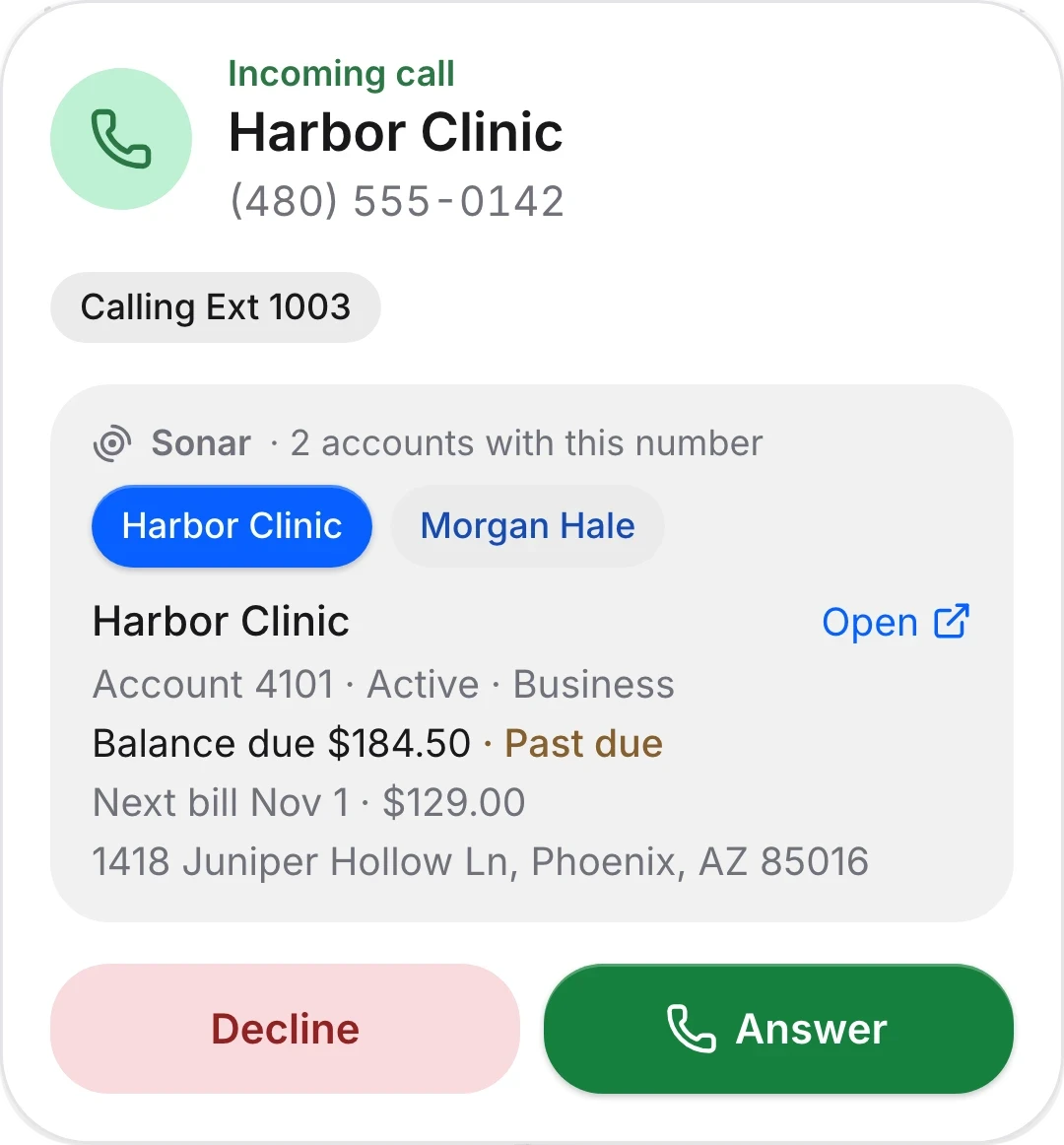
An incoming call from Harbor Clinic, (480) 555-0142, calling extension 1003. Sonar: two accounts with this number, Harbor Clinic chosen. Account 4101, Active, Business. Balance due $184.50, past due. Next bill Nov 1, $129.00. 1418 Juniper Hollow Ln, Phoenix. Decline and Answer.
  1. As it rings. The caller’s Sonar account.
  2. Calling back. A Sonar search from the dialer or Front desk.
  3. After the call. A call log on their account in Sonar.

What a rollout takes.

Four things are yours; everything underneath them is ours.

  1. Brand and staff

    You
    Your logo and support contact on every portal; your staff’s logins.
    Us
    Run the portals and apps they appear in.
  2. Supported equipment

    You
    Stock adapters and desk phones, and assign each by scanning its label.
    Us
    Confirm which models are supported.
  3. Numbers and ports

    You
    Submit each port; fix a rejected one in place.
    Us
    File it with the carrier and move it through its stages.
  4. Support and escalation

    You
    Answer subscribers; escalate call problems to us.
    Us
    Investigate, capturing calls only inside a troubleshooting window the customer approves.

Plan phone service for your subscribers.

Bring your subscriber mix, numbers, equipment and support workflow; we’ll plan the rollout around them.