Plan an office’s keys once. Then see what each phone did.
A key layout gives every desk phone in an office the same keys, room for each person’s own and a key for each coworker. Devices says which layout each phone follows; each phone’s panel says what it fetched and whether it’s registered.
Key layout
Main office
1 · The same on every phone
At the top of every phone, in this order.
- Key 1Line 1The phone’s own line
- Key 2Line 2The same line, so a second call has a key
- Key 3Night modeCall flow
2 · Each person’s own
Right after the keys above, on that person’s phone only.
Room for each person’s own keysOn
3 · Everyone in the office
Fills the keys that are left, kept up to date for you.
A key for each coworker, leaving out anyone already on the phoneOn
105 · Erin WalshPage 1 of 1
- 1Line 1, the same on every phone
- 2Line 2, the same on every phone
- 3Night mode, the same on every phone
- 4Harbormaster, this phone’s own
- 5Front desk, coworkers, filled in for you
- 6Marco Reyes, coworkers, filled in for you
- 7Priya Shah, coworkers, filled in for you
- 8Fuel dock, coworkers, filled in for you
- 9Tom Becker, coworkers, filled in for you
Yealink T46U
- The same on every phone 3
- Erin’s own 1
- Coworkers, filled in for you 5
Yealink T46U: 10 places a page on 3 pages. Once keys run past a page, its last place is the Page key, so it shows 27 at most; keys past the last page aren’t on the phone.
Keys 1 to 3 are Main office’s, in the same places on every phone that follows it.
Key 4, Harbormaster, is Erin’s own and stays when Main office changes.
Keys 5 to 9 are 5 coworkers, by extension, leaving out Erin’s own line.
105 · Erin WalshPage 1 of 1
- 1Line 1, the same on every phone
- 2Line 2, the same on every phone
- 3Night mode, the same on every phone
- 4Harbormaster, this phone’s own
- 5Front desk, coworkers, filled in for you
- 6Fuel dock, coworkers, filled in for you, moved by name
- 7Marco Reyes, coworkers, filled in for you, moved by name
- 8Priya Shah, coworkers, filled in for you, moved by name
- 9Tom Becker, coworkers, filled in for you
Yealink T46U
- The same on every phone 3
- Erin’s own 1
- Coworkers, filled in for you 5
Yealink T46U: 10 places a page on 3 pages. Once keys run past a page, its last place is the Page key, so it shows 27 at most; keys past the last page aren’t on the phone.
Keys 1 to 3 are Main office’s, in the same places on every phone that follows it.
Key 4, Harbormaster, is Erin’s own and stays when Main office changes.
Keys 5 to 9 are 5 coworkers, A to Z by name, leaving out Erin’s own line.
Only coworkers move: Fuel dock, Marco Reyes and Priya Shah change places, and keys 1 to 4 stay where they were.
103 · Priya ShahPage 1 of 2
- 1Line 1, the same on every phone
- 2Line 2, the same on every phone
- 3Night mode, the same on every phone
- 4DND, this phone’s own
- 5Erin Walsh, this phone’s own
- 6Front desk, coworkers, filled in for you
- 7Marco Reyes, coworkers, filled in for you
103 · Priya ShahPage 2 of 2
- 8Fuel dock, coworkers, filled in for you
- 9Tom Becker, coworkers, filled in for you
Yealink T44W
- The same on every phone 3
- Priya’s own 2
- Coworkers, filled in for you 4
Yealink T44W: 8 places a page on 3 pages. Once keys run past a page, its last place is the Page key, so it shows 21 at most; keys past the last page aren’t on the phone.
Keys 1 to 3 are Main office’s, in the same places on every phone that follows it.
Keys 4 and 5, DND and Erin Walsh, are Priya’s own and stay when Main office changes. Erin Walsh already has a key there, so Everyone in the office doesn’t add another.
Keys 6 to 9 are 4 coworkers, by extension, leaving out Priya’s own line.
9 keys are more than its 8 places, so the last place on each page is the Page key, and Fuel dock and Tom Becker go to page 2.
103 · Priya ShahPage 1 of 2
- 1Line 1, the same on every phone
- 2Line 2, the same on every phone
- 3Night mode, the same on every phone
- 4DND, this phone’s own
- 5Erin Walsh, this phone’s own
- 6Front desk, coworkers, filled in for you
- 7Fuel dock, coworkers, filled in for you, moved by name
103 · Priya ShahPage 2 of 2
- 8Marco Reyes, coworkers, filled in for you, moved by name
- 9Tom Becker, coworkers, filled in for you
Yealink T44W
- The same on every phone 3
- Priya’s own 2
- Coworkers, filled in for you 4
Yealink T44W: 8 places a page on 3 pages. Once keys run past a page, its last place is the Page key, so it shows 21 at most; keys past the last page aren’t on the phone.
Keys 1 to 3 are Main office’s, in the same places on every phone that follows it.
Keys 4 and 5, DND and Erin Walsh, are Priya’s own and stay when Main office changes. Erin Walsh already has a key there, so Everyone in the office doesn’t add another.
Keys 6 to 9 are 4 coworkers, A to Z by name, leaving out Priya’s own line.
9 keys are more than its 8 places, so the last place on each page is the Page key, and Marco Reyes and Tom Becker go to page 2.
Only coworkers move: Fuel dock and Marco Reyes change places, and keys 1 to 5 stay where they were.
Start from what’s closest, then answer three questions.
New key layout starts from Just the line, Office, Reception or Warehouse, then asks what goes at the top of every phone, whether people can add keys of their own and whether to fill the rest with coworkers. Your team plans it through Open portal, or the business’s owners and admins do.
The business phone system
- One layout, every deskEvery phone that follows it shows its keys in the same places. A desk phone with no keys of its own follows the business’s default layout.
- A phone of its ownGive one phone its own layout and changes to the office’s stop reaching it; its coworker keys still follow people joining and leaving.
- DirectoriesNamed lists a desk phone opens from its Directory button, built from the business’s contacts: up to five a phone, beside its own.
- SidecarsAn EXP43 beside a T44W or T46U adds 20 keys a page on three pages, a list of that phone’s own, where its coworker keys can sit.
Every desk phone says which layout it follows.
In Devices, Lines shows whose extension each phone carries, and Keys its layout, any keys of its own, or a layout of its own. Choose several phones and Use key layout… says what happens to each before it’s applied.
Numbers and devices
- From your shelfIn the partner portal: every phone and adapter from shelf stock to a customer’s desk, added by hand or by scanning its label.
- Onto a deskAssigned to an account, a phone carries a person’s extension on its lines, and starts on the business’s default layout until another is chosen.
- Phone by phoneUse key layout… names each phone’s outcome first: “Starts following Main office. 1 key isn’t in Main office, so it moves to its own keys.”
Saved isn’t fetched, and fetched isn’t registered.
Take Erin’s phone, ext 105. Its layout is saved in the business portal, its own request for settings is in its History, and whether its line is signed in comes from our voice node. None implies the next.
Inspect a deviceIn the business portal
Your team or the business saves it
Key layout · Main office A plan
Line 1 · Line 2 · Night mode · Each person’s own · Everyone in the office
Saving changes the plan, not the phone.
In its History
1 · The phone asks for its settings
Phone fetched new settings Nov 10
Nov 10, 10:20 AM · 198.51.100.15 · HTTPS
Its own request: when, from where and how.
The phone
105Erin WalshYealink T46UWith our voice node
2 · The phone registers its line
Line 1 · 105 · Registered Now
Last registered Today, 8:20 AM
Shown in its Lines, line by line.
Separate from fetching: ext 101, the Front desk’s cordless phone, fetched its settings on Nov 7 and isn’t registered now.
When a phone needs attention, its panel says where to look.
Home’s Needs attention lists phones at one site that dropped together, a phone offline and a phone that never connected, each opening its account. A device’s panel keeps its status, lines, facts and history apart, so each question has one place to look.
See which customers need you- StatusIs it one phone, or the site?The last 24 hours, offline and back. Phones at one site that dropped together are a possible site problem: a lead, not a cause.
- LinesIs its line signed in?Registered or Not registered, line by line.
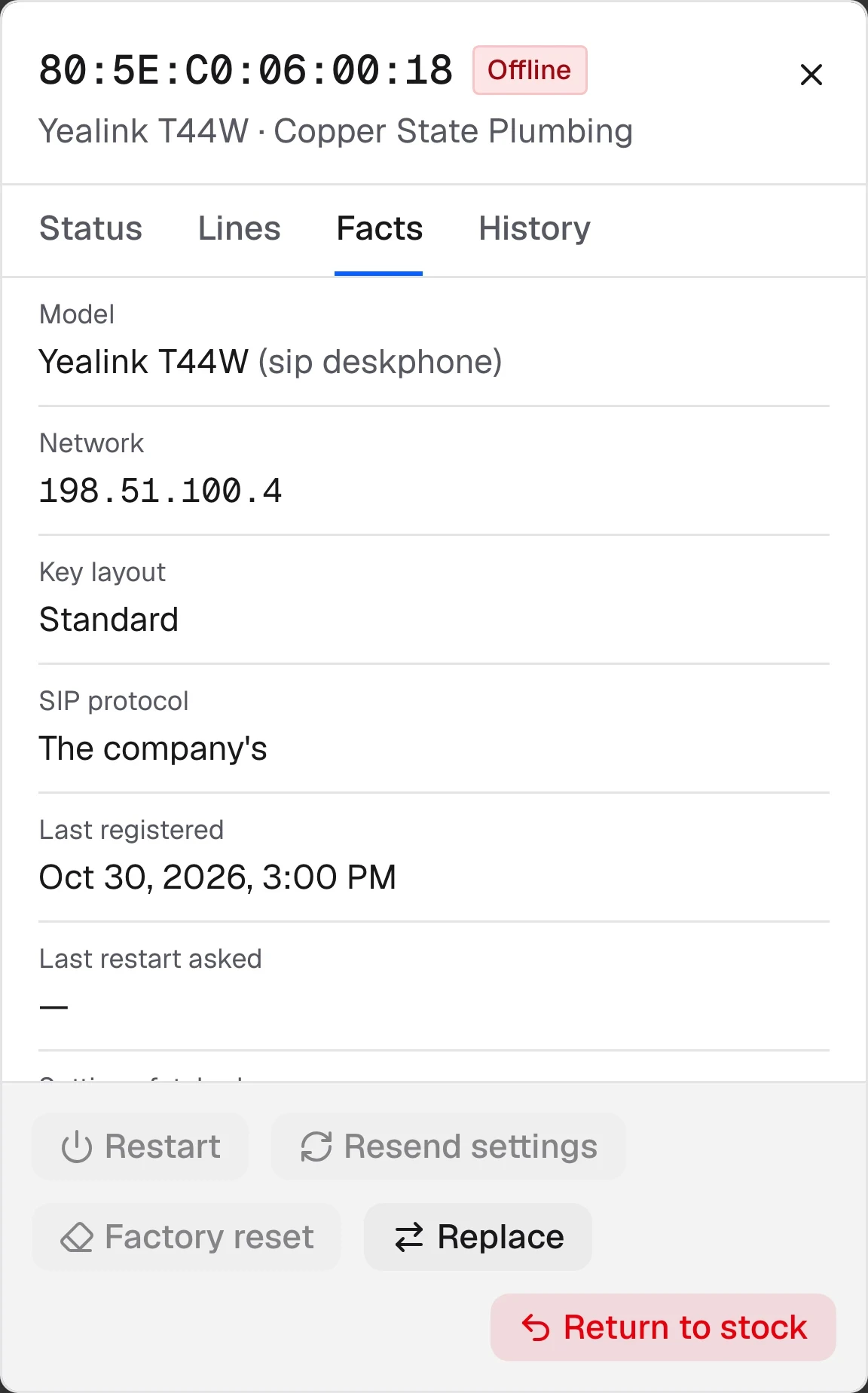
- FactsWhat is it meant to be?Its account, network, key layout, and when it last registered.
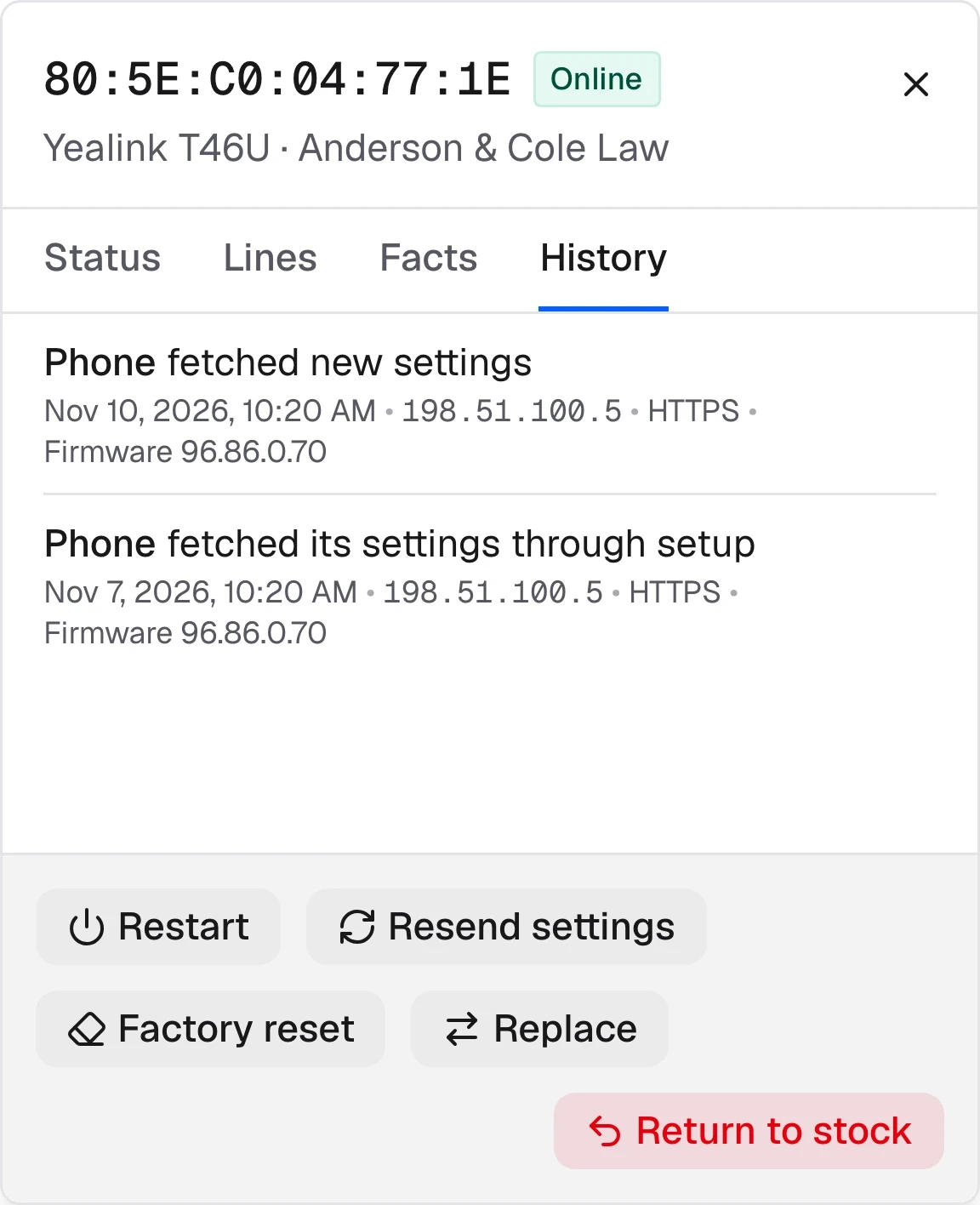
- HistoryDid it take its settings?Each fetch, through setup or after a change, and a phone turned away with the reason, such as its setup being closed. For the phones the platform sets up.
Who acts. Your team works the account and its phones in the portal, and you choose who on it hears about a site’s phones going offline together or a phone offline for a day. What reaches carriers and the network goes to our desk. What our desk does
Bring the phones you deploy and an office to lay out.
Tell us the models you use and an office you’re setting up. In a demo we lay out its keys and read each phone’s settings and history.