Access for the whole team. Control for the few who need it.

Each person at a business you serve signs in as Owner, Admin or Staff. Everyone works in the same portal; owners and admins change the setup and decide who signs in.

View as

Your setting, fixed hereCustomer portal visibility: Can change

Ana TorresExt 101 · Larkspur Auto Care

Phone System › HoursRead onlyCan edit

HoursBusiness hours, holidays, and where calls go when you’re closed.

New schedule

Shop hoursMain line

Edit
Mon–Fri
7:30 AM–6 PM
Sat
8 AM–2 PM
Sun
Closed

When closedFront desk voicemail

Thanksgiving · Closed

Phone System › PeopleRead onlyCan edit

PeopleEveryone on the account, their extensions, and portal access.Manage contact details and assigned extensions.

Add person
  • Carla MendezExt 102Owner
  • Ana TorresExt 101StaffAdmin
  • Ben RuizExt 104Staff
  • Luis OrtegaExt 103Staff · Invited

My phoneCan editSame for both roles

Your phoneExt 101

Do not disturb, forwarding, voicemail and PINAna changes these as Staff or as Admin.

  • Do not disturbOff
  • ForwardingWhen busy, to Ben Ruiz
  • Voicemail & PINOn

A lens on this example. In the portal, an owner or admin sets each person’s role, never their own.
One portal. A few differences that matter.

The everyday work is everyone’s. The role decides the rest.

Every role

  • Their own phoneForwarding, Do not disturb and voicemail, on a line of their own.
  • The day’s callsCall history, their voicemail and the shared contacts.
  • The teamWho’s free to take a call.
With your Customer portal visibility at Can change
StaffAdmin and OwnerThe same rights today
Hours, ring groups, queues and menusReadsChanges
Numbers, phones and Company settingsNo accessChanges
Who signs in, and each person’s roleReadsChanges, Owner included
Call recordingsAs the business allowsEvery recorded call
Troubleshooting windowsNo accessRequests and approves

Owner adds one thing: a business can’t lose its last one. How

Your own team has separate roles, in the partner portal. Your team’s roles

Every business keeps an owner. The portal makes sure of it.

Owners and admins have the same rights today, the Owner role included. Owner adds a guarantee.

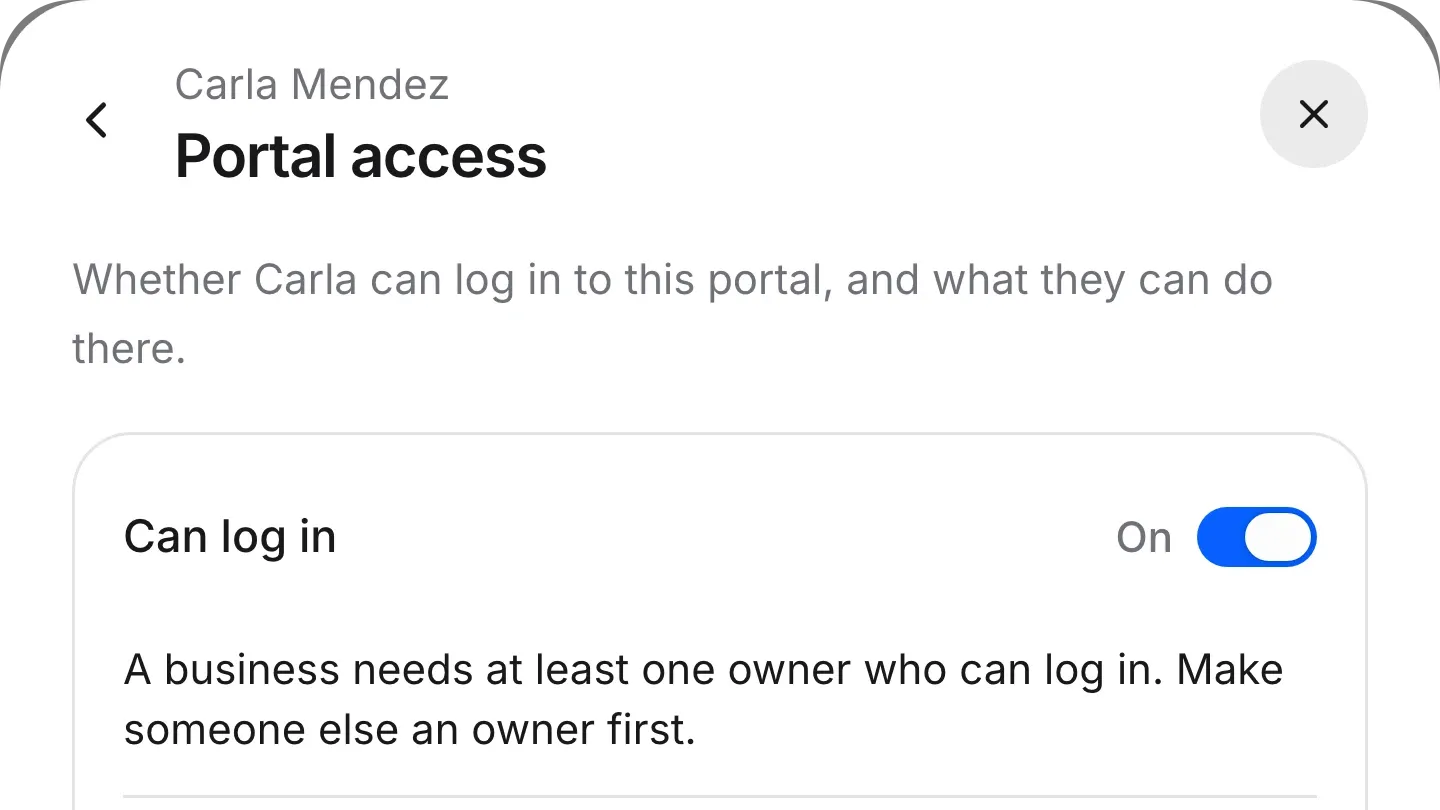
  • The last owner stays. The only owner who can log in can’t be demoted or turned off.
  • Nobody changes their own role. “You can’t change your own role or portal access.” No one promotes themselves or locks themselves out.
Carla Mendez’s Portal access page, as an admin sees it: Can log in, On, and under it “A business needs at least one owner who can log in. Make someone else an owner first.”
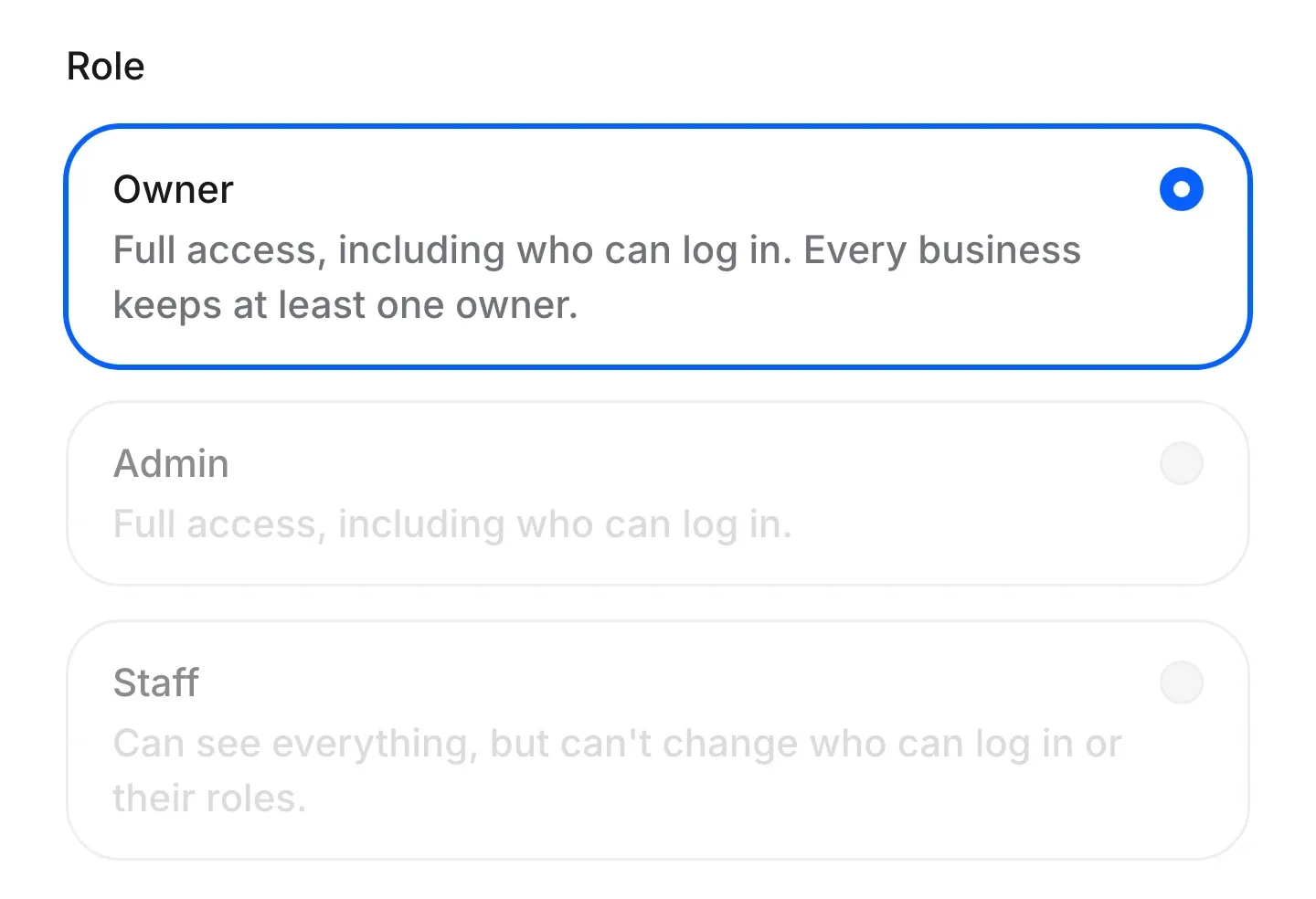
Carla’s Role: Owner chosen, “Full access, including who can log in. Every business keeps at least one owner.” Admin and Staff greyed out.

Two settings sit beside roles.

One is yours, for each business. One is the business’s own.

Yours, for each business

Customer portal visibility

  1. HiddenPhone System and Company settings are gone for everyone. Owners and admins still close early, forward calls and manage logins.
  2. View onlyOwners and admins read Phone System, as staff do.
  3. Can changeOwners and admins change it.

Every business starts at Hidden, and no level changes anyone’s role. Customer portals

The business’s own, in Company settings

Who can listen

Staff can listen to

  • No callsDefaultStaff play no recordings and read no transcripts.
  • Their own callsCalls they placed, answered, were consulted on or hosted.
  • Every call they can seeAny call Call history shows them.

Owners and admins play every recorded call, and whoever can’t play a call can’t read its transcript. Call recording

Your team and our desk reach recordings under rules of their own. Data and AI

Access for the whole team. Control where it belongs.

Bring a business you serve, and we’ll walk through its people, roles and logins in the portal.