Know the caller before hello. Keep the call in HubSpot.
Offer it to the businesses you serve that sell in HubSpot. Their team sees the caller’s contact, company, owner and open deal as the phone rings; the call goes on that contact’s timeline, and the business chooses what else is sent.
Ringing Jordan Reed, Ext 1003
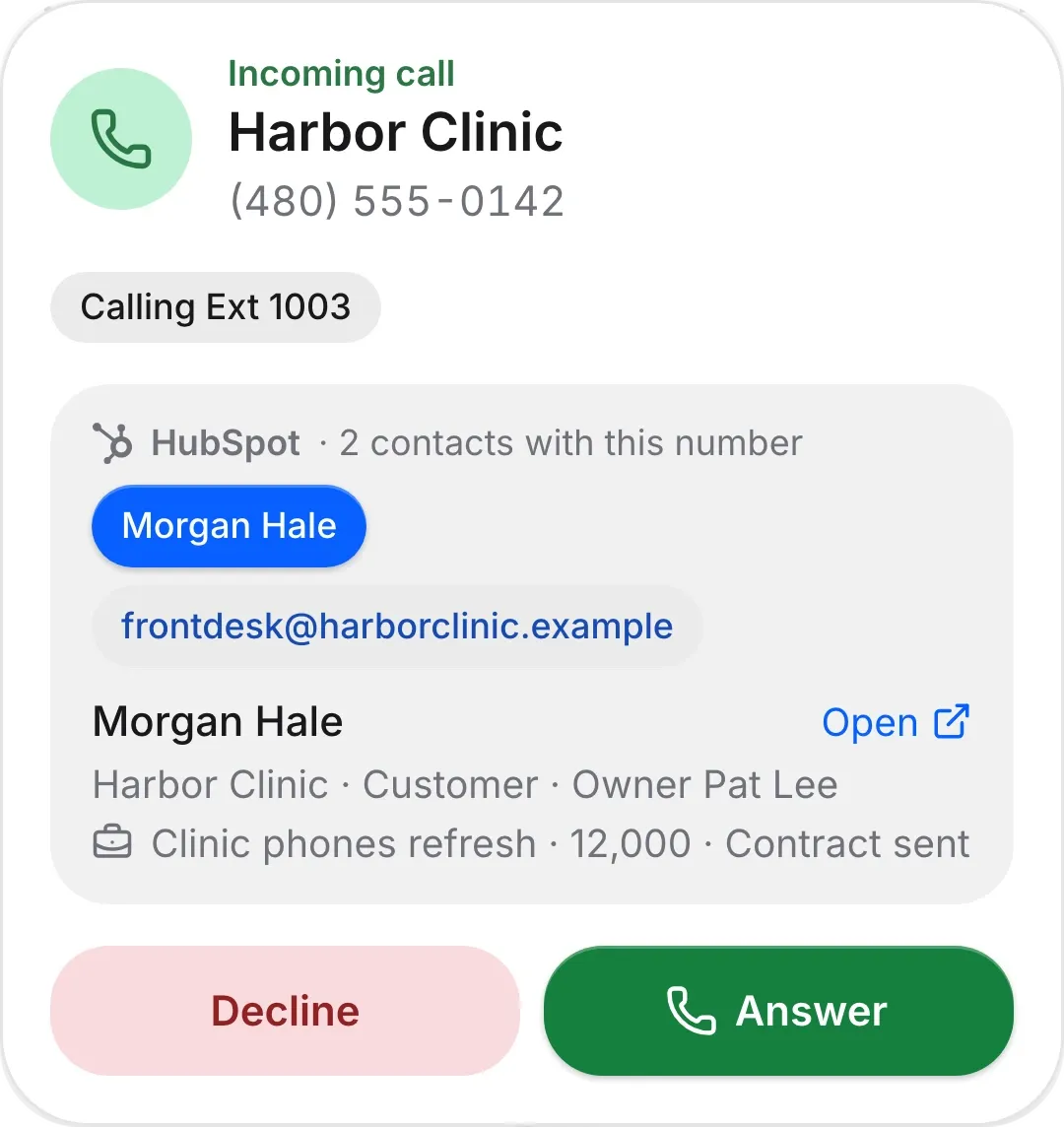
As it ringsThe contact from the business’s own HubSpot, with Open to the record. Ringing never waits for HubSpot.
After the call, in the business’s HubSpot
Morgan HaleHarbor Clinic · Customer
Contact owner Pat Lee
Note · 9:07 AM
Wants a quote for two more desk phones before the refresh.
Call · 9:05 AM · 4:12
Incoming call Completed
Answered by Jordan Reed (Ext 1003).
Call owner Jordan Reed
After the callThe call on Morgan Hale’s timeline, credited to Jordan Reed, who answered it, and the note Jordan sent from the call.
Choose what reaches HubSpot.
Each business decides what its calls leave in HubSpot. Try its switches on one prepared day of Morgan Hale’s calls: a call answered at 9:05, a note during it, and a call missed at 2:40 with a voicemail.
Before, during and after the call.
The same contact follows the team through the day: found to call, written to on purpose while they talk, and waiting in Call history afterward.
Before the call
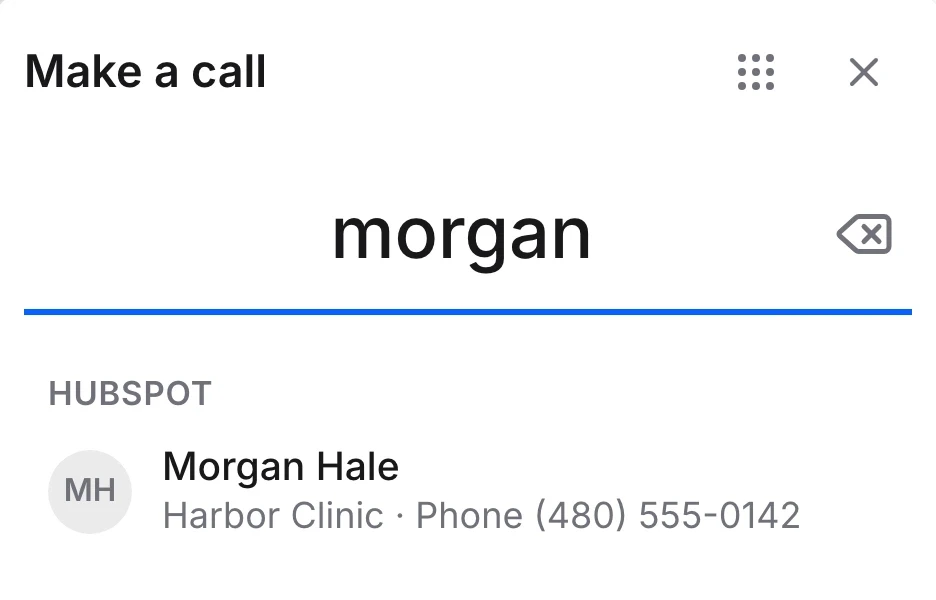
Find a contact to call
From three letters, the dialer lists HubSpot contacts with their numbers, and Front desk lists them under the coworkers, with Call, and Transfer during a call.
For every login. What’s typed goes to HubSpot’s search; contacts with no number aren’t listed.On the call
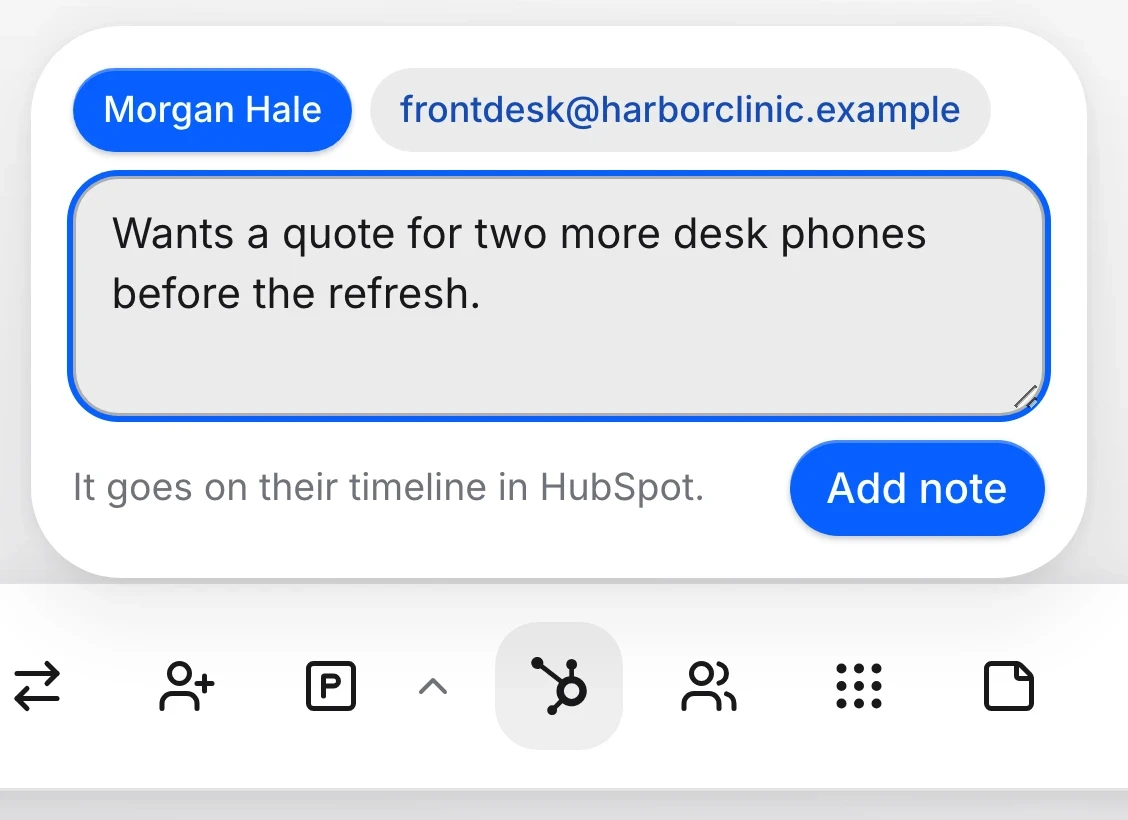
Send a note on purpose
Note to HubSpot on the call bar sends what someone writes to the contact chosen. What’s said on the call stays out of HubSpot unless someone writes it.
A note goes on the contact’s timeline alone, not on the call.After the call
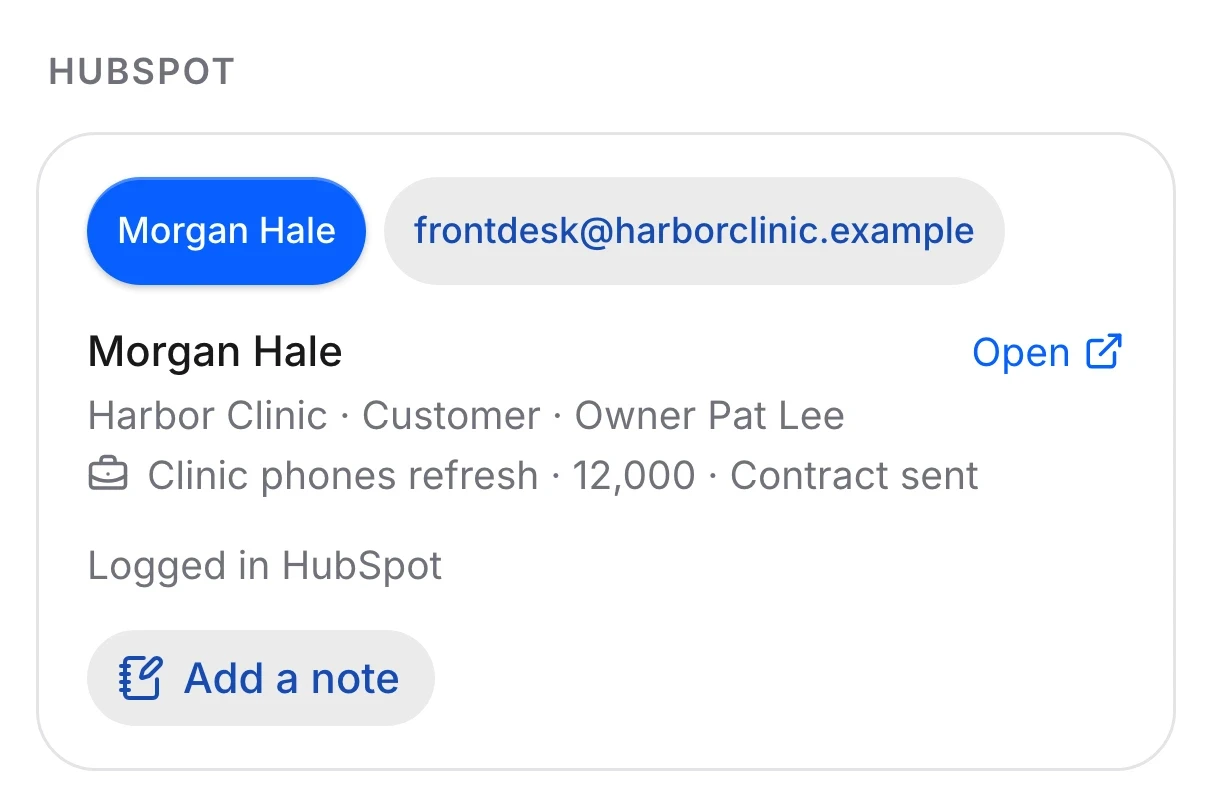
Pick it up in Call history
A call’s panel shows the caller’s record, whether the call was logged, and Add a note. A caller HubSpot doesn’t know gets Create contact, while the business has it on.
The missed-call task and voicemail note, when the business turns them on, are above in the switches.
Matched by number, never guessed.
As the phone rings, HubSpot is asked for the contacts whose phone or mobile number is the caller’s. What it finds decides the card, where the call is logged and who a note can go to.
One contact
- On the card
- Their name with Open, company, lifecycle stage, owner and open deal.
- After the call
- Logged on their timeline.
- A note
- Goes to them.
Several contacts
- On the card
- Each is offered; choosing one changes what the card shows.
- After the call
- Logged on every contact with the number, whichever was chosen.
- A note
- Goes only to the contact chosen.
A caller HubSpot doesn’t know
- On the card
- Says so. Nothing is guessed.
- After the call
- Not logged, and no contact is made on its own.
- Later
- Create contact in Call history, on to begin with, makes one and logs that call on it.
Three names on one record, each by its own rule.
- Pat LeeThe contact’s owner
- Whoever owns the contact in HubSpot already. The card shows them, and a missed call’s Call back task is theirs.
- Jordan ReedThe call’s owner
- Whoever answered an incoming call or placed an outgoing one, matched to their HubSpot user by email, or picked by an owner or admin where the emails differ. A missed call has none, nor does a call taken by someone with no HubSpot user.
- The business’s connectionA note’s sender
- A note carries what someone wrote and goes under the business’s HubSpot connection, not the person’s own HubSpot login. It has no owner.
Their HubSpot, their switches.
You offer the integration; each business connects its own HubSpot account. Its owners and admins decide what goes there, and everyone the call rings gets the context.
| Can | Who |
|---|---|
| Connect HubSpot, choose what it sends, replace or disconnect the key | Owners and admins |
| Match people to their HubSpot users, where emails differ | Owners and admins |
| See HubSpot’s lines when a call rings | Everyone the call rings, staff included |
| Search HubSpot from the dialer and Front desk | Every login. What’s typed goes to HubSpot’s search. |
| Add a note or create a contact | Everyone. Both go under the business’s connection, not the person. |
- What goes to HubSpot. A lookup sends the caller’s number. A logged call sends its direction, length, outcome, who answered, the two numbers and when, and its owner and recording link where those are on. Notes, Call back tasks and voicemail notes go only as their switches say.
- What stays here. Recordings and call transcripts stay in the business’s account, and so do the team’s own call notes. A recording link opens the call in the business’s portal, which asks whoever opens it to sign in.
- Off, or disconnected. Turning HubSpot off stops everything, lookups included, and keeps the choices. Disconnecting forgets the key and the choices. What’s already in HubSpot stays there.
Connecting a business’s HubSpot, and the scopes it uses
An owner or admin makes a service key in the business’s own HubSpot and pastes it on HubSpot’s page in their portal; an older private app’s token is taken the same way. The page lists the scopes the chosen parts need, with Copy. We check the key with HubSpot before keeping it, and afterward show only its last four characters.
A key missing a read scope still works, with that line left off the card; a part whose scope is missing can’t be turned on until the key has it. If HubSpot later refuses the key, nothing is sent and callers aren’t looked up until it’s replaced.
crm.objects.contacts.read | Finding the caller by their number |
|---|---|
crm.objects.companies.read | The caller’s company |
crm.objects.deals.read | The caller’s open deal |
crm.objects.owners.read | The contact’s owner, and the HubSpot users calls are credited to |
crm.objects.contacts.write | Logging calls, notes and tasks, and making contacts |
HubSpot is a trademark of HubSpot, Inc.
Bring your customers. We’ll show their calls in HubSpot.
Tell us who your customers are and what they’d want connected: who answers, what a missed call should become, what belongs on the record. We’ll walk through a call with HubSpot connected and say plainly what’s built.