Keep the phone system they have. Fit the connection around it.
A SIP trunk connects a business’s own PBX to its numbers on our platform. Extensions, phones and call flows stay on the PBX; you set the trunk in the customer’s portal to match how that PBX signs in and expects each call.
At the business
Office PBX
Stays as it is
- Extensions and desk phones
- Menus, hours and queues
- Voicemail
SIP trunk , set to fit the PBX
- Sign-in
- Registers with the trunk’s own login
- Signaling
- UDP, TCP or TLS
- Audio
- G.711 first, SRTP where supported
On our platform
Carrier Grade
Supplied through you
- The business’s numbers
- Carriers upstream
- A backup if the PBX can’t be reached
Send each number the way the PBX expects.
A PBX routes an incoming call by the number dialed, and PBXs write it differently. The trunk’s Called number format sends it as this one expects.
A caller dials
Office PBX receives
(602) 555-0130
+16025550130
Sent whole
Request lineINVITE sip:+16025550130@…
16025550130
Leaves off the +
Request lineINVITE sip:16025550130@…
6025550130
Leaves off +1 · a new trunk’s default
Request lineINVITE sip:6025550130@…
+16025550130
Sent whole · the request goes to the trunk’s username
To headerTo: <sip:+16025550130
Not changed by this choice
- The caller’s number
4805550142, set by its own Caller number format- Outgoing caller ID
- From the PBX, passed on as sent
Who does what.
The business keeps the phone system its people know. You supply the numbers and the carrier connection, through us.
Who runs each sideStays with the business
- The PBX and its call flows, run by the business, or by you as its MSP
- The site’s internet and firewall, and keeping the PBX signed in to the trunk
Supplied by you, through us
- The numbers, new or ported in, on the customer’s account
- The trunk and the carriers upstream, set up in the customer’s portal
- An outage backup, only when the PBX can’t be reached: a greeting, up to five outside numbers rung together, or both. Busy and unanswered calls end as they would.
- Call history: every call through the trunk, beside hosted calls, filtered by the trunk
Support: the business calls you first; our desk takes what your team escalates.
Priced per trunk, a month, and its numbers per number. Every price is quoted. Pricing
Set up in the customer’s portal.
Each trunk has its own panel in the customer’s portal, for the business’s owners and admins and for your team. Every row says what the trunk does now.
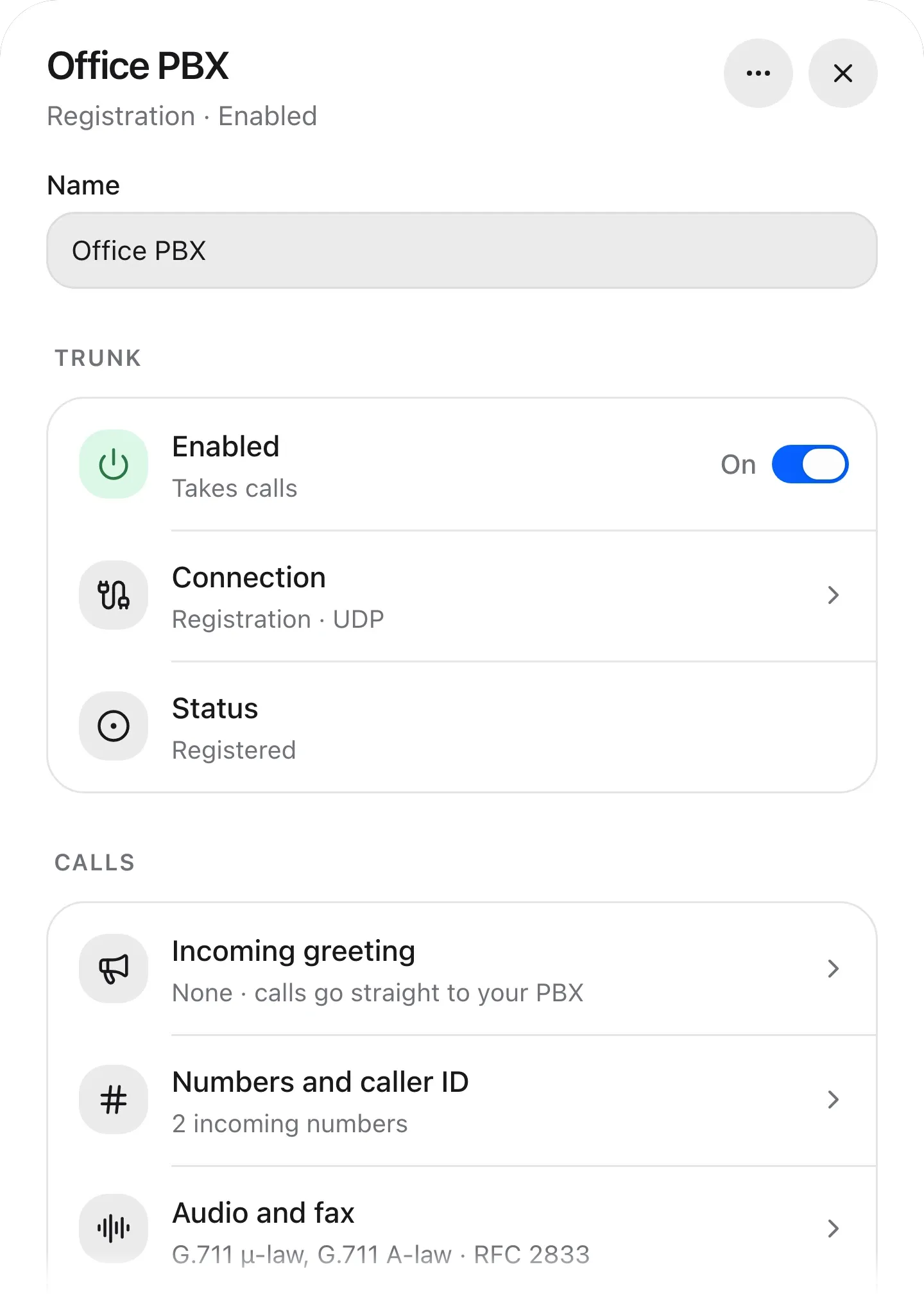
Connection Registration · UDP
The PBX signs in with the trunk’s own username and password. Trunks register; IP-address authentication isn’t offered.
Status Registered
From the PBX’s own sign-in: Registered, Not registered or Unknown. Your team checks it before escalating.
Numbers and caller ID 2 incoming numbers
Each number says where its calls go: this trunk, hosted seats or a fax box. A trunk isn’t a seat: Everyline and calls in a browser come with hosted seats. Trunks beside hosted seats
What the technical review confirms.
Bring these five to a technical review, and we’ll fit the trunk’s settings, capacity and backup to the PBX.
- The PBXIts make, model and software version. No model is promised before it’s tested.
- Calls at onceAt its busiest. Capacity is agreed for each PBX; we don’t publish a figure per trunk.
- The numbersWhich move or port, and the format the PBX expects.
- Caller IDWhich of the account’s numbers the PBX sends.
- Backup and 911Where calls go when the PBX can’t be reached, and how its phones reach 911.
Before the business relies on it, a test call each way, and one with the PBX disconnected to hear the backup.
Configuration detail for engineers
- Sign-in
- Registration to the account’s SIP hostname, with a username and password made with the trunk that don’t change. The password stays hidden until someone shows it.
- Transport
- UDP or TCP on port 5060, TLS on 5061.
- SRTP
- Off, optional or required, set on each trunk. The device or PBX must support and be set for it.
- Codecs
- In the trunk’s order of preference: G.711 µ-law and A-law by default; G.722, G.729 and Opus. Calls to and from the phone network are G.711.
- DTMF
- RFC 2833, in-band or SIP INFO.
- Caller’s number
- Caller number format: +E.164, E.164, +E.164 / National (the default) or E.164 / National, so a caller from abroad stays international. Presented in P-Asserted-Identity, Remote-Party-ID or the From header; a withheld number stays withheld.
- Calls out
- Ten digits, with or without 1 or +1. Seven digits aren’t completed.
- Ringing
- The PBX rings for up to 60 seconds.
- Call quality
- Grades come from the apps and browser. Desk phones and trunks don’t report their own measurements yet.
The technical detail, on the platform pageTransport and encryption
Bring the PBX’s details. We’ll fit the trunk to it.
We’ll walk your engineer through each setting and plan the move with you, one number at a time if that suits the business.