Screen calls before they ring. Press 1, and it rings through.
Likely spam hears one short request before any phone rings. Callers who press 1 get through; blocked numbers never ring.
Try it: you’re the caller.
Mesa Pharmacy calls the Rivera household, and the call is flagged as likely spam.
The caller
Mesa Pharmacy (602) 555-0148
“To be connected to our subscriber, please press 1.”
Only 1 gets through.
You pressed 1.
You pressed nothing.
The Rivera household
- Junk calls
- Stop spam
- If they don’t press 1
- Take a message
Quiet until they press 1.
The home phones ring. SPAM# stays: pressing 1 doesn’t vouch for the caller.
The phones never rang. After three plays, the call went to Home messages.
Screening asks. Blocking stops.
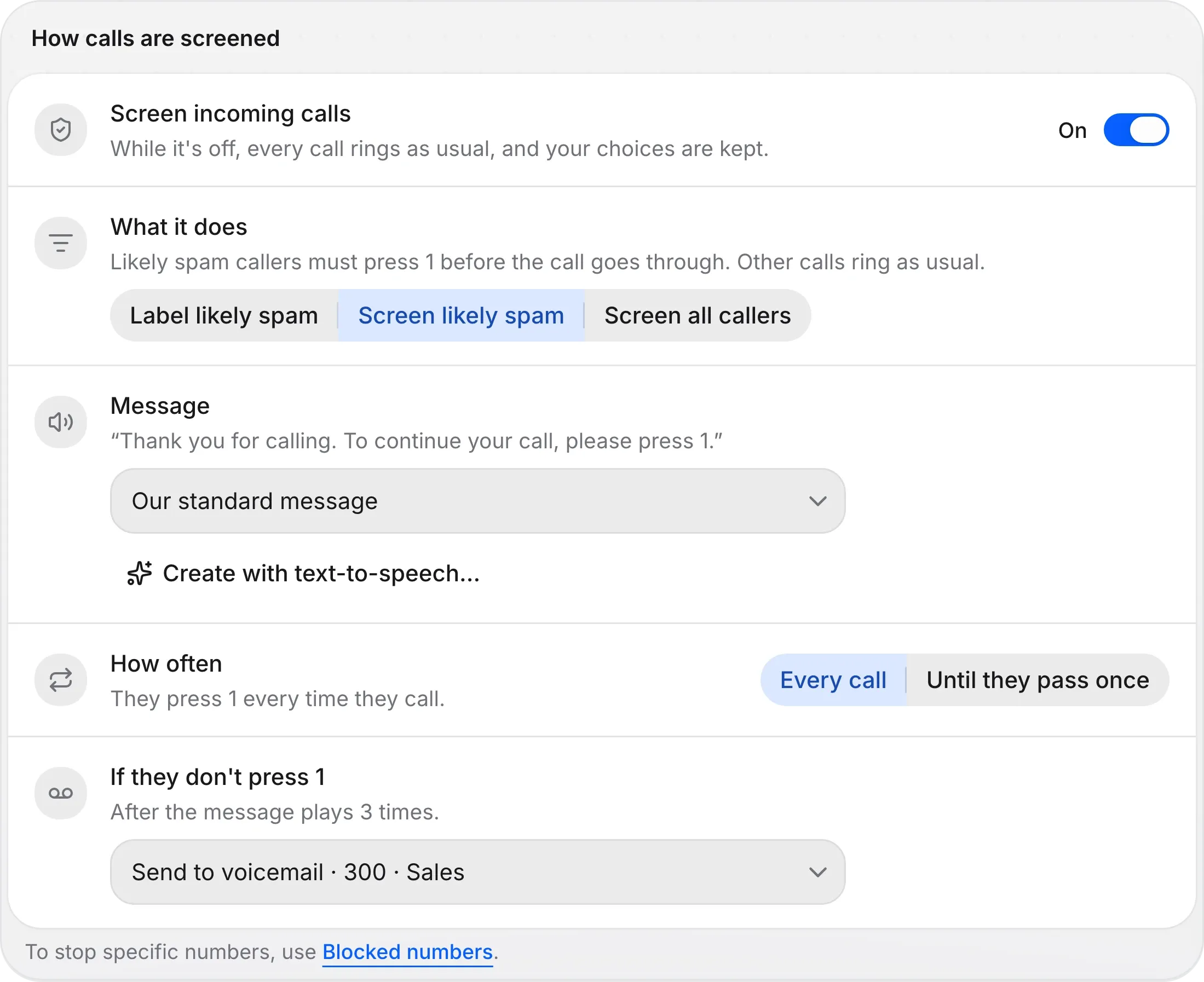
We flag likely spam from each call’s STIR/SHAKEN attestation and other number reputation sources. Callers can be asked on every call, or only once: a number that presses 1 is remembered after that.
Let everything ring
- Likely spam
- RingsRings
- Other callers
- RingsRings
Warn me
- Likely spam
- Rings with SPAM#Rings, SPAM#
- Other callers
- RingsRings
Stop spam
- Likely spam
- Asked to press 1Press 1
- Other callers
- RingsRings
Check every caller
- Likely spam
- Asked to press 1Press 1
- Other callers
- Asked to press 1Press 1
Some automated calls, like appointment reminders, may not get through.
Before any level applies
- Blocked numbers are stopped first, whatever the level. They never ring, and can’t leave a message.
- Always rings contacts, a household’s trusted people, skip screening unless they’re blocked.
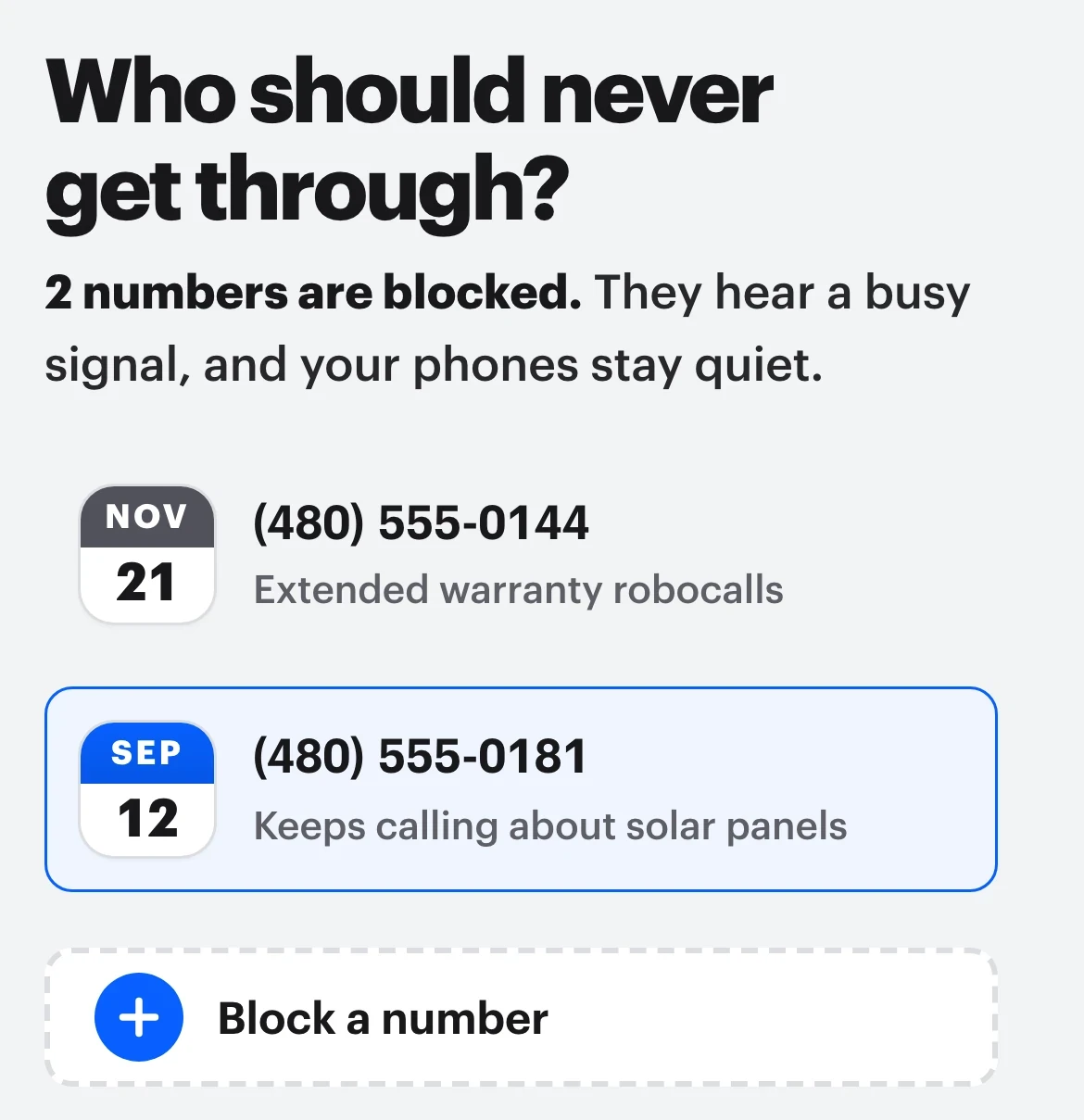
A business sets it once, for every number.
Owners and admins choose the message, how often callers are asked and where unanswered calls go, then see exactly what a caller will hear.
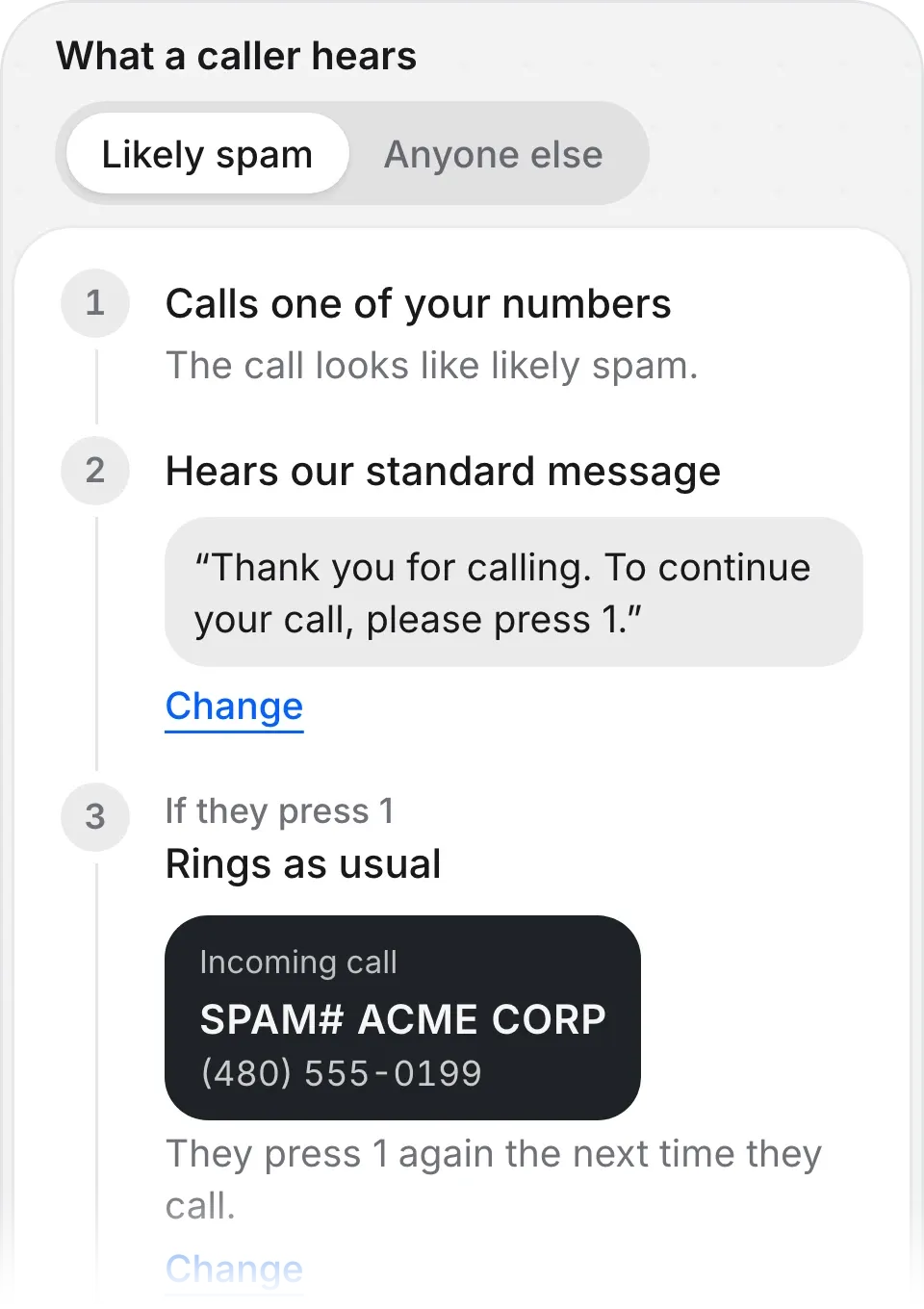
Fewer unwanted calls, without shutting callers out.
See screening and blocking in both portals, under your brand.